When you control-click on the library's icon in the Movies folder, you will get a drop down menu that contains Show Package Contents as an option.
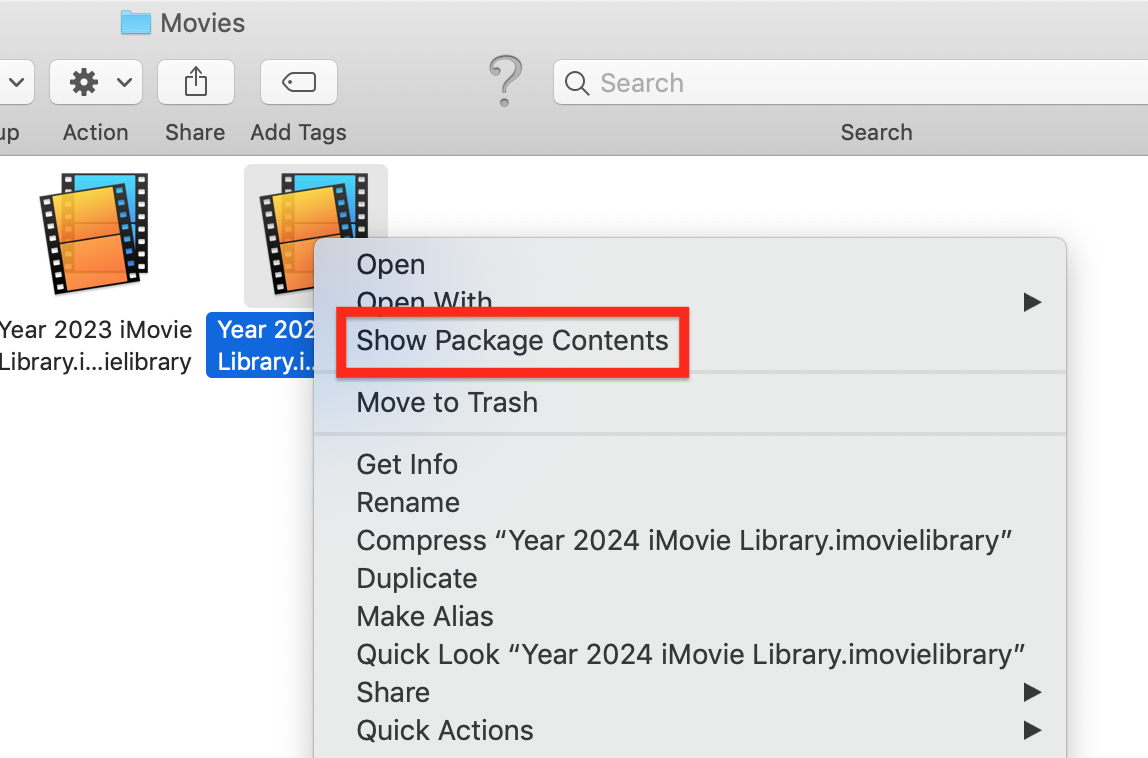
Clicking on Show Package Contents will display a folder that contains subfolders for of all of the projects and events in the library.

You cannot play the projects in the Show Package Contents. When you click on a project's subfolder, it will display additional subfolders that contain the media in the project. The project subfolder titled Original Media shows all of the clips that have been used in the project. You can play the media there, or copy (not move) the clips to your desktop to play. But you should not delete them from the project Original Media folder.
For example, the project folder for the project titled My Movie 1 is as follows:

The highlighted Original Media subfolder of the project shows the two clips that are in the project.
As mentioned in my previous post, you should not delete, alter, or move anything contained in the Show Package Contents and Project subfolders. To do so risks corrupting the library.
-- Rich



