Ticketmaster app freezing on My Events page

I am signed into the Ticketmaster app. When first opening the Home page loads, I can navigate to the For You page, the Sell page and the My Account page but when trying to open the My Events page the app freezes and I'm not able to navigate back to any other page without closing the app and reopening. I've tried deleting the app and reinstalling. I've tried logging out and back in. I've tried restarting my phone. Nothing fixes the issue. If l login to Ticketmaster through a browser I am able to see all my events/tickets. How can I fix the app issue?

iPhone 14 Pro

Posted on Mar 1, 2024 1:54 PM

Reply
Question marked as Top-ranking reply

Posted on May 2, 2024 11:37 AM

In reading this forum (and living with this bug for the past 6 months or so), I figured out the issue!


I have an iPhone 15 Pro.


I use "Large Text" in Display Zoom ordinarily.


Changing that setting back to "Default" fixes the Ticketmaster app and the My Events page works just fine.


My guess is that the iPhone 15 Pro (like earlier models) uses a slightly different resolution for its display zoom.


Ticketmaster simply hasn't fixed the app to adjust for it.


(I had this issue for over a year with my iPhone 14 Pro and then my iPhone 15 Pro on a completely different app so it finally occurred to me that it could be the same issue).

Similar questions

60 replies

Jun 20, 2024 2:06 PM in response to purple_79

Thanks for the tip to use the Live Nation app. I’ve been struggling with Ticketmaster app freezing up for the last few weeks. I logged into Live Nation & bang all of my tickets I’ve already purchased popped right up. Honestly, don’t understand why Ticketmaster hasn’t fixed this. Their customer service is horrible. I’m surprised Apple hasn’t done something to try and fix it maybe or contact Ticketmaster and tell them to revise their app.

Mar 3, 2024 2:06 PM in response to purple_79

This happens to me as well. Ticketmaster is no help and Apple has not provided any help on this topic. I have a workaround I use by saving a Safari favorite to Ticketmaster on my home screen. At least that is quick navigation to my Ticketmaster account and tickets through Safari (on iPhone 14) but it is clunking and irritates me that the app no longer functions properly when trying to view my tickets.

Mar 10, 2024 3:09 PM in response to Frozenfox

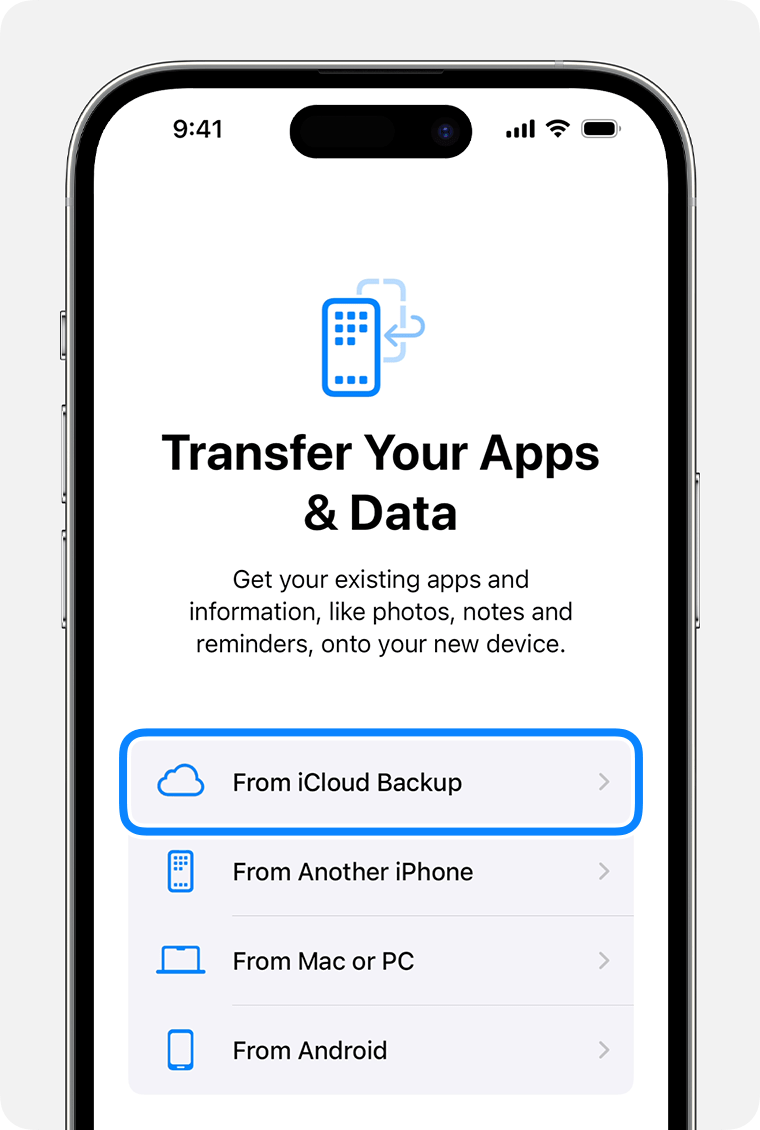
Hi @FrozenFox, when you initially set up your new iPhone 15 (when you first got it, or after you chose "Erase All Content and Settings"

, did you restore anything from a backup, or skipped that step, then installed TicketMaster from App Store. The four options you have on setup to restore your apps and data are, "From iCloud Bakup", "From Another iPhone" , "From Mac or PC", "From Android Device". Did you skip this step?


That would indicate that this is a bug in the TicketMaster app specific to iPhone 14 and 15. It should occur for every user of TM on iPhone 14 and 15.


I'm assuming there are at least 100,000 people now who have either iPhone 14 or 15 and use the TM app. However, this is the first forum board I've found describing this problem with the "Events Page". I think the only way to fix it is for all of us to report the bug to ticket master support. If enough people report a problem, TM may devote dev effort to fix it.


Also when you are testing delete/install, are you talking about the TM app, or the entire iPhone?


I'm thinking of going to an apple store or other place that sells them and installing TM on one of their demo models to see if it has the same problem.


Somewhat good news is that the web browser version of TM shows tickets with the dynamic bar code, so I'll try that next concert, but I'm also bringing my iPhone 10 as a backup.
Mar 19, 2024 1:59 PM in response to purple_79

I'm having the same issue with an iPhone 15 Pro. I chatted with Ticketmaster support and they could only propose a workaround:


If you’re having issues viewing your tickets in the App, try signing into your online account using the mobile browser instead. You should be able to access your tickets without any issues.


I pinged their support on Twitter about a fix for the app. It's really unacceptable to not have their app work when they instruct you to use your phone for tickets.

Mar 9, 2024 7:56 PM in response to FastGuitar

"The Genius bar person recommended completely wiping and resetting the phone then DO NOT RESTORE FROM ANY BACKUP, cloud or especially phone to phone."


wouldn't that mean that you'd have to manually re-input every contact, and you'd lose all your notes?


if so, it's a complete nonstarter and apple really needs to figure out an actual fix, rather than telling people to spend hours trying to manually recreate years of data.

Mar 9, 2024 8:16 PM in response to JGDC

I'm pretty sure that some or most or all Apple applications like Notes and Contacts store your data in your Apple account. So if you reset your phone, don't restore anything, then sign in with your Apple Id, you'll get your Notes and Contacts. But it is still a pain if you have 100 apps to click to download them all, then sign into them all.


Restoring from the cloud does not remember your user ids and passwords, just the applications. But restoring from a phone copies over your user and password. However, I suspect it copies over libs and executables that it should not.

This thread has been closed by the system or the community team. You may vote for any posts you find helpful, or search the Community for additional answers.

Ticketmaster app freezing on My Events page

Welcome to Apple Support Community
A forum where Apple customers help each other with their products. Get started with your Apple Account.
