How do I authorise my Mac for Apple Music?

I subscribed to ITunes Match yesterday but when I click the “Add this Computer” button in the Music app on my Mac, type in my password, it then shows a message about “Accessing iTunes Store” briefly, the “Add this Computer” button gets grayed out and that’s it.


If I close the Music app and launch it again, I get the option of adding this computer again. My Mac is authorized and I’ve signed in and enabled “Sync Library”


I tried this on another Mac and a Windows PC running the latest version of iTunes and it does the same.


I tried deauthorizing all the computer and then reauthorizing just one but it does the same. I also signed out of everything signed back in.


Any ideas?


[Re-Titled by Moderator]

MacBook, macOS 10.13

Posted on Mar 11, 2024 11:10 AM

Reply

Similar questions

3 replies

Mar 12, 2024 9:06 AM in response to vinodhfromcupertino

Hi,

Once you have authorised your computer Authorise or deauthorise your computer for Apple ID purchases – Apple Support (UK) got o settings and -


  1. Open the Apple Music app.
  2. In the menu bar, choose Account and make sure you're signed in with the same Apple ID that you use with your Apple Music subscription.
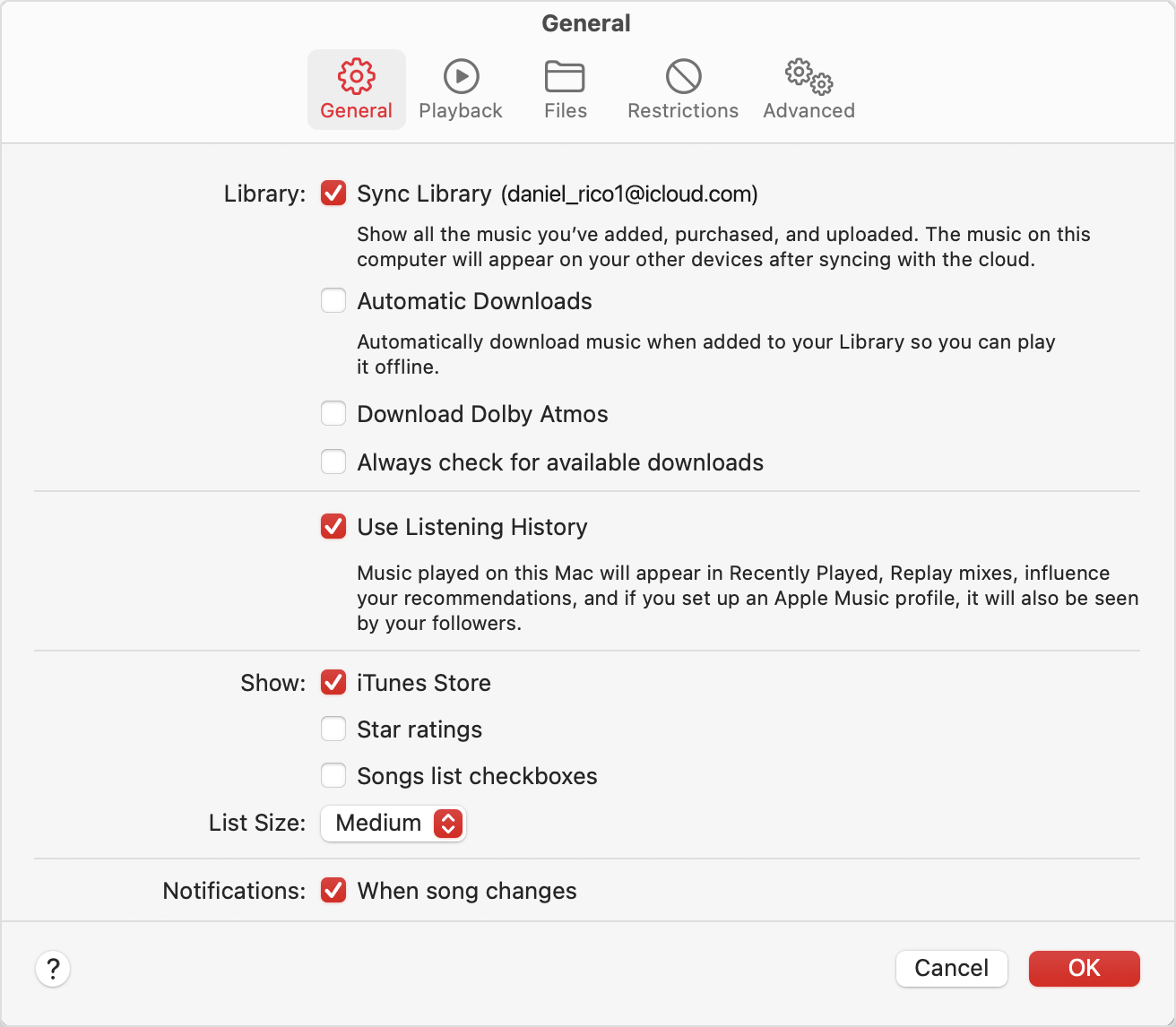
  3. Choose Music > Settings.
  4. Click the General tab.
  5. Select Sync Library. Don't see Sync Library? 


Jim


This thread has been closed by the system or the community team. You may vote for any posts you find helpful, or search the Community for additional answers.

How do I authorise my Mac for Apple Music?

Welcome to Apple Support Community
A forum where Apple customers help each other with their products. Get started with your Apple Account.