If you compose a mail in apple mail application and then type the credentials ( fill up the mail addresses and subject ) and then close the mail compose window they will be saved , and if you are saving thousands of mails with the same procedure they will get accumulated .

They can be viewed if you click on drop arrows of drafts and select google , the drafts folder and its mails will appear in mail side bar , to delete them select them in fractions and press command and delete on the keyboard .

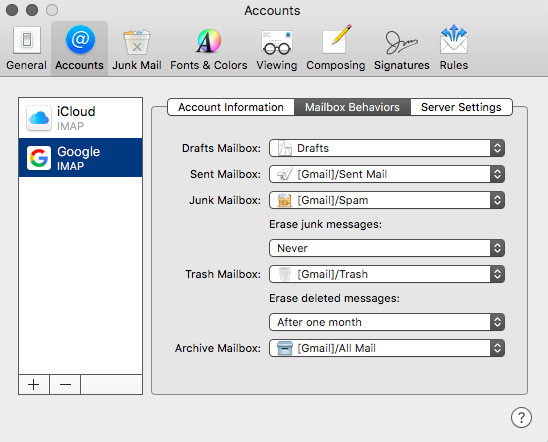
The correct setting in mail preferences > mailbox behaviours is .
If you enter in webmail account by entering the gmail address and password and compose a mail then close the window , the mail will be saved as draft .
In this example screen shot there are only two mails , select them and click on discard


In your case if there are thousands of mails saved as draft , select all of them so they get a check mark and discard them .


