Photos not geotagging on iPhone 6

I have enabled camera, while using, to show location services

I have rebooted my phone

I am on wifi.

Its not working.

iPhone 6s, iOS 11.4.1

Posted on Aug 27, 2018 9:59 AM

Reply
Question marked as Top-ranking reply

Posted on Aug 28, 2018 1:20 PM

Greetings, Mr.A..


It appears that the photos you're taking with your iPhone 6s isn't adding a location, even when location services is set to "While Using the App". I'm happy to help.


Restart your iPhone, iPad, or iPod touch -- First tap Settings > Privacy > Location Services > Camera. If it's set to "While Using the App", select "Never", wait a moment, then reselect "While Using the App" again. Then next, restart your iPhone. Once it's returned to the Home screen, test the issue.


About privacy and Location Services in iOS 8 and later -- If the issue persists, reset Location Services. Test the issue again.

Reset or disable Location Services

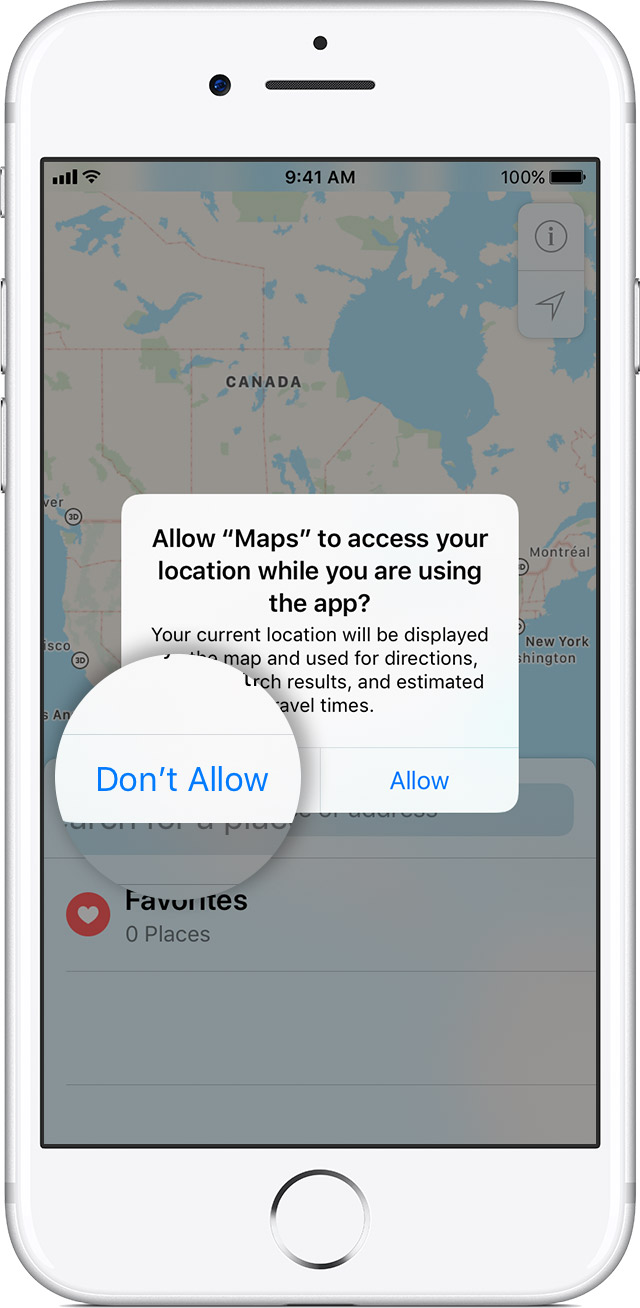
Location warnings are the requests that apps (such as Camera, Compass, and Maps as well as location-based third-party apps) make to use Location Services with those apps. An app will ask for permission the first time it needs to access Location Services data. Tapping Allow will give that app permission to use Location Services as needed. Tapping Don't Allow will prevent an app from accessing Location Services data. Apps won't use your location until they have asked for your permission and you grant permission.

If you would like to reset all of your location settings to the factory default, go to Settings > General > Reset and tap Reset Location & Privacy. When your location and privacy settings are reset, apps will stop using your location until you grant them permission.

User uploaded file


Let me know how that goes, and take care!

1 reply
Question marked as Top-ranking reply

Aug 28, 2018 1:20 PM in response to Mr.A.

Greetings, Mr.A..


It appears that the photos you're taking with your iPhone 6s isn't adding a location, even when location services is set to "While Using the App". I'm happy to help.


Restart your iPhone, iPad, or iPod touch -- First tap Settings > Privacy > Location Services > Camera. If it's set to "While Using the App", select "Never", wait a moment, then reselect "While Using the App" again. Then next, restart your iPhone. Once it's returned to the Home screen, test the issue.


About privacy and Location Services in iOS 8 and later -- If the issue persists, reset Location Services. Test the issue again.

Reset or disable Location Services

Location warnings are the requests that apps (such as Camera, Compass, and Maps as well as location-based third-party apps) make to use Location Services with those apps. An app will ask for permission the first time it needs to access Location Services data. Tapping Allow will give that app permission to use Location Services as needed. Tapping Don't Allow will prevent an app from accessing Location Services data. Apps won't use your location until they have asked for your permission and you grant permission.

If you would like to reset all of your location settings to the factory default, go to Settings > General > Reset and tap Reset Location & Privacy. When your location and privacy settings are reset, apps will stop using your location until you grant them permission.

User uploaded file


Let me know how that goes, and take care!

This thread has been closed by the system or the community team. You may vote for any posts you find helpful, or search the Community for additional answers.

Photos not geotagging on iPhone 6

Welcome to Apple Support Community
A forum where Apple customers help each other with their products. Get started with your Apple Account.