Why can I not play purchased movies on my MacBook Pro?

Hi, I have a late 2017 MacBook Pro with Touch Bar etc. I have recently just purchased a movie which I am not able to play. Any solutions to the problem would be kindly appreciated.

MacBook Pro TouchBar and Touch ID, macOS Mojave (10.14)

Posted on Oct 13, 2018 8:46 PM

Reply
Question marked as Top-ranking reply

Posted on Oct 15, 2018 2:45 PM

Hey MathewPotts,
It sounds like you're having some trouble with playing a movie on your MacBook Pro after purchasing the movie. I'll be happy to help out.
Take a look at these steps here to see if it helps out:

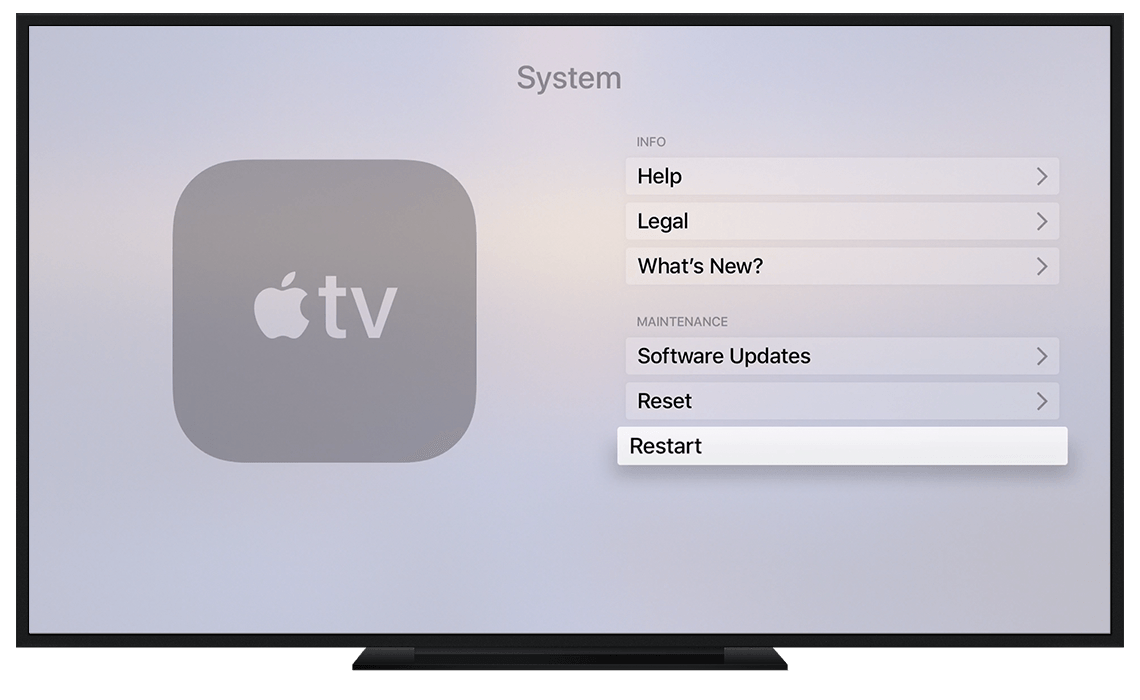
Restart your device

Restart your device, then try to stream or download your content again.

Learn how to restart your Apple TV, iOS device, or Mac.


User uploaded file

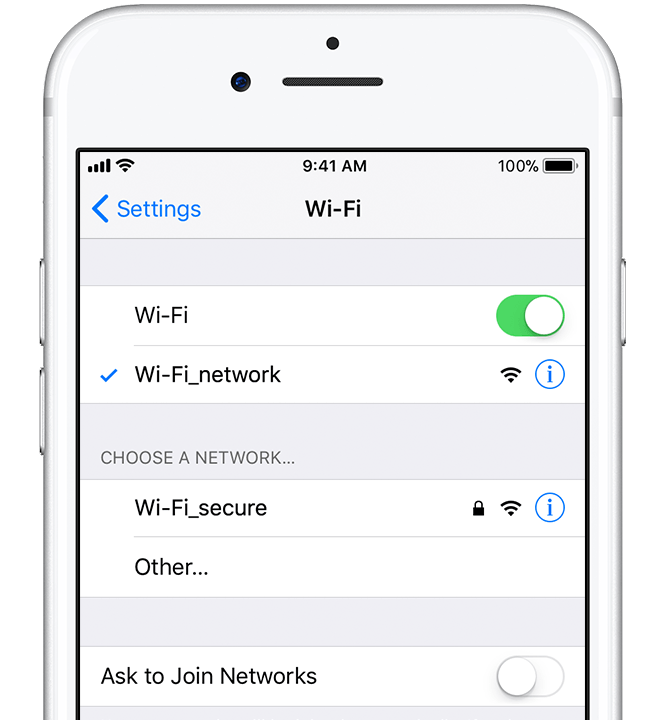
Check your Internet connection

If you're currently using a cellular connection, try to connect to Wi-Fi.

Make sure that your Wi-Fi router is 802.11a/g/n/ac compatible. Slower tiers of Wi-Fi connections might not be fast enough to stream the highest-quality video content (8 Mbit/s or faster for HD content).

User uploaded file

Check the activity on your home network

If family members or friends are using the same Internet network, ask them to temporarily pause their Internet activities.

When multiple devices use the same Internet network for intensive activities such as gaming, video streaming, or backing up, it might slow down the speed of your local network.


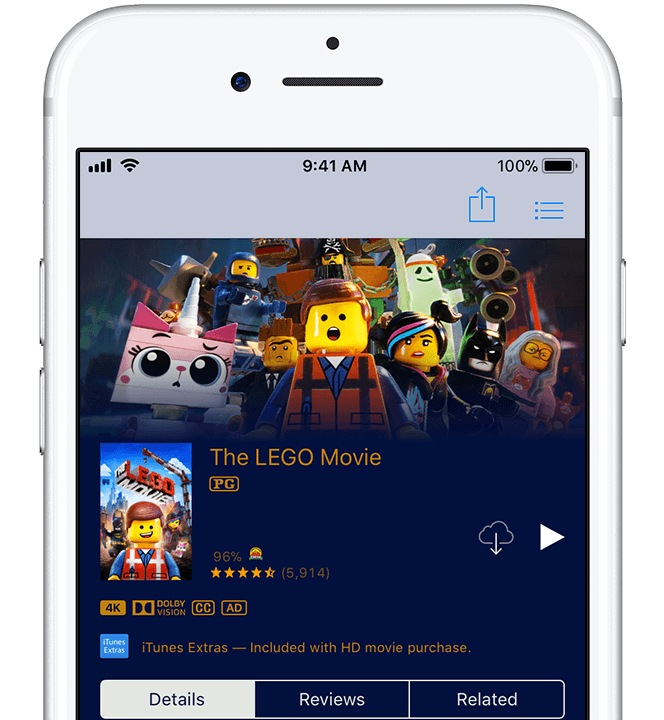
Try watching on another device

See if you can stream your movie or TV show on another device using the same Wi-Fi or cellular connection. If you can't, the issue might be with your network and not your device.


User uploaded file

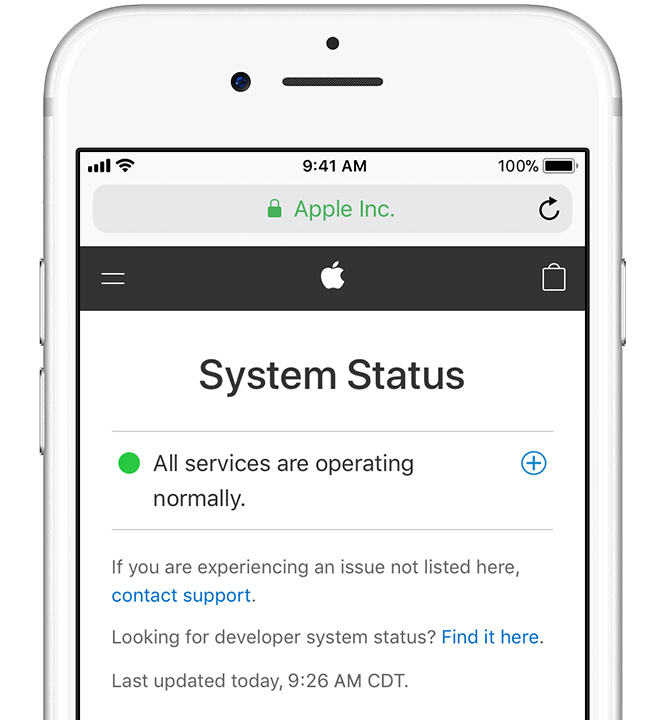
Check for service interruptions

Check to see if the iTunes Store has a service interruption, or check a third-party provider's website to see if they list any interruptions.

If there are service interruptions, try to stream or watch the video later.

User uploaded file

Try downloading the video instead

If you're having trouble streaming your video content, you can also download the video1. Purchases from the iTunes Store and some third-party apps can be downloaded in the background instead and watched later. However, your ability to download the video depends on the file size and the amount of storage available on your device.

To download a purchased video, tap or click User uploaded file . Downloading a video might take longer before you can start watching than if you stream it, but will allow you to watch the video all the way through without interruptions.

1 You can't download content to an Apple TV. You can only download HDR content on certain iOS devices, and you can't download 4K video content to any device.


If you can't stream or watch video content from the iTunes Store or third-party apps - Apple Support

Have a great day.

1 reply
Question marked as Top-ranking reply

Oct 15, 2018 2:45 PM in response to MathewPotts

Hey MathewPotts,
It sounds like you're having some trouble with playing a movie on your MacBook Pro after purchasing the movie. I'll be happy to help out.
Take a look at these steps here to see if it helps out:

Restart your device

Restart your device, then try to stream or download your content again.

Learn how to restart your Apple TV, iOS device, or Mac.


User uploaded file

Check your Internet connection

If you're currently using a cellular connection, try to connect to Wi-Fi.

Make sure that your Wi-Fi router is 802.11a/g/n/ac compatible. Slower tiers of Wi-Fi connections might not be fast enough to stream the highest-quality video content (8 Mbit/s or faster for HD content).


User uploaded file

Check the activity on your home network

If family members or friends are using the same Internet network, ask them to temporarily pause their Internet activities.

When multiple devices use the same Internet network for intensive activities such as gaming, video streaming, or backing up, it might slow down the speed of your local network.


Try watching on another device

See if you can stream your movie or TV show on another device using the same Wi-Fi or cellular connection. If you can't, the issue might be with your network and not your device.


User uploaded file

Check for service interruptions

Check to see if the iTunes Store has a service interruption, or check a third-party provider's website to see if they list any interruptions.

If there are service interruptions, try to stream or watch the video later.


User uploaded file

Try downloading the video instead

If you're having trouble streaming your video content, you can also download the video1. Purchases from the iTunes Store and some third-party apps can be downloaded in the background instead and watched later. However, your ability to download the video depends on the file size and the amount of storage available on your device.

To download a purchased video, tap or click User uploaded file . Downloading a video might take longer before you can start watching than if you stream it, but will allow you to watch the video all the way through without interruptions.

1 You can't download content to an Apple TV. You can only download HDR content on certain iOS devices, and you can't download 4K video content to any device.


If you can't stream or watch video content from the iTunes Store or third-party apps - Apple Support

Have a great day.

This thread has been closed by the system or the community team. You may vote for any posts you find helpful, or search the Community for additional answers.

Why can I not play purchased movies on my MacBook Pro?

Welcome to Apple Support Community
A forum where Apple customers help each other with their products. Get started with your Apple Account.