i cannot change my apple music profile
I am trying to edit my Apple Music profile so I can follow friends but I can’t! It doesn’t let me edit except my name and username and it won’t let me edit my profile
Start sharing
You set up a profile in the Music app on your iPhone, iPad, or iPod touch; in iTunes on your Mac or PC; or in the Apple Music app on your Android device.
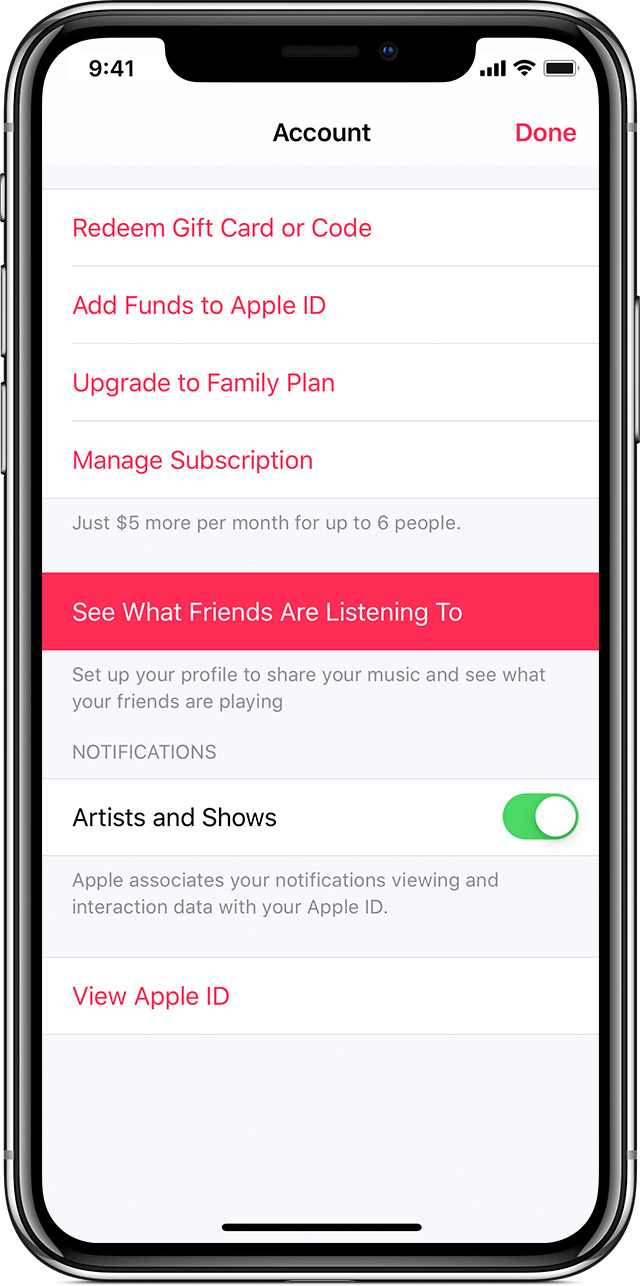
- On your iOS device: Open the Music app, then go to For You. Tap your photo or
in the upper-right corner of the screen, then tap See What Friends Are Listening To.
- On your Mac or PC: Open iTunes, then go to For You and click your photo or
in the upper-right corner of the iTunes window. In the "Discover music with friends" message that appears, click Get Started.
- On your Android device: Open the Apple Music app and tap
in the upper-left corner of the screen. Tap your photo or Apple ID, then tap See What Friends Are Listening To.
Follow the steps to set up your profile and start sharing. Your shared playlists and the songs that you listen to will appear on your profile page.
To find and follow friends, scroll to the bottom of your profile page and tap Follow More Friends on iOS and Android or click Find More Friends on your computer. If your friends are already sharing music, tap Follow next to their name. If you want to invite a friend to share, tap Invite.
Sharing music with friends is not available for Child accounts that are part of Family Sharing.
Start sharing
You set up a profile in the Music app on your iPhone, iPad, or iPod touch; in iTunes on your Mac or PC; or in the Apple Music app on your Android device.
- On your iOS device: Open the Music app, then go to For You. Tap your photo or
- On your Mac or PC: Open iTunes, then go to For You and click your photo or
- On your Android device: Open the Apple Music app and tap
Follow the steps to set up your profile and start sharing. Your shared playlists and the songs that you listen to will appear on your profile page.
To find and follow friends, scroll to the bottom of your profile page and tap Follow More Friends on iOS and Android or click Find More Friends on your computer. If your friends are already sharing music, tap Follow next to their name. If you want to invite a friend to share, tap Invite.
Sharing music with friends is not available for Child accounts that are part of Family Sharing.
i cannot change my apple music profile