
Apple Watch pauses after 11 seconds for all workout modes
Apple Watch pauses at 11 seconds for all workout modes.
[Re-Titled by Moderator]
Apple Watch Series 3, watchOS 6
Apple Watch pauses at 11 seconds for all workout modes.
[Re-Titled by Moderator]
Apple Watch Series 3, watchOS 6
Hi DebbieZeebie,
We see your Apple Watch pauses workouts after 11 seconds. This can often be related to the fit of the watch or it not detecting the wrist. We have some great information on this.
Specifically this section.
"For best results, the back of your Apple Watch needs skin contact for features like Wrist Detect, the Taptic Engine, and the electrical and optical heart sensors. Wearing your Apple Watch with the right fit—not too tight, not too loose, and with room for your skin to breathe—keeps you comfortable and let the sensors do their jobs. You may want to tighten your Apple Watch band for workouts, then loosen it when you’re done. In addition, the sensors will work only if you wear your Apple Watch on the top of your wrist.
Too loose
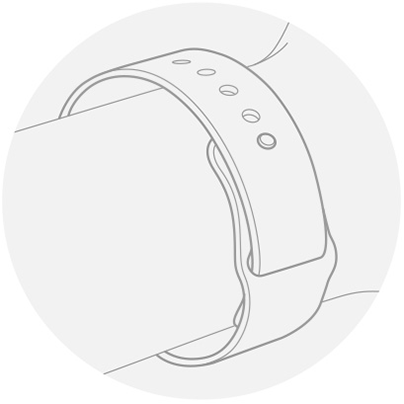
If your Apple Watch doesn’t stay in place, or the sensors aren’t reading your heart rate, tighten the band a bit.
Just right
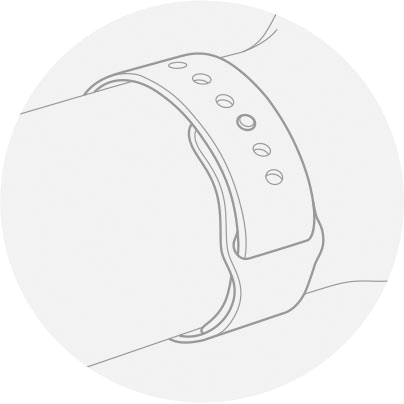
Your Apple Watch should be snug but comfortable."
If your workouts continue to pause please contact Apple at Get Support.
Have a great weekend!
I totally agree it’s definitely not our wrist and sensors touching skin because that’s just what a watch does. Apple PLEASE FIX. It’s BEYOND ANNOYING to hit resume every 11 seconds.
I’ve done 100% of all the things suggested online with no success. That so many people have the same problem says it’s a major bug Apple hasn’t fixed.
Go to the watch app on the phone and tap on workout,turn off running autopause and end workout reminder.
Or on the watch in settings/workout and turn them off there.
Apple Watch pauses after 11 seconds for all workout modes


