iPhone 12 Pro Wireless Charging Issues

I picked up the iPhone 12 Pro yesterday, and I can't get wireless charging to work properly. I have two Qi charging pads, both from different manufactures, and the 12 pro will only charge from them if it's been freshly rebooted. If I take the phone off the pad, and then place it back on the pad, it will not charge again unless I reboot the phone. The pads charge my Xs and my Galaxy S9, so they're not the problem. Anybody else having issues with wireless charging on the 12 pro?

Posted on Oct 24, 2020 6:49 PM

Reply
Question marked as Top-ranking reply

Posted on Oct 31, 2020 5:57 AM

Bring it back and exchange it - there are many people who claim this is a software problem, but the question is why isn't all iPhone 12 Pro phones having this issue? They've sold many of these phones and you'd think there would be thousands of complaints by now online.


I did two hard resets and nothing improved. It never charged wirelessly for me. I put it on a Qi compliant Mophie puck and another Qi charger and the same thing happens. It charges for a second and then stops.


I contacted Apple support and they said to bring it back and that it was not a software bug. Not that I expect Apple to admit it but if it is not a software bug then you'll be very sorry that you did not exchange it within the warranty period. Make sure you at the very least document this with Apple Support before your exchange period expires.


651 replies
Question marked as Top-ranking reply

Oct 31, 2020 5:57 AM in response to ryken229

Bring it back and exchange it - there are many people who claim this is a software problem, but the question is why isn't all iPhone 12 Pro phones having this issue? They've sold many of these phones and you'd think there would be thousands of complaints by now online.


I did two hard resets and nothing improved. It never charged wirelessly for me. I put it on a Qi compliant Mophie puck and another Qi charger and the same thing happens. It charges for a second and then stops.


I contacted Apple support and they said to bring it back and that it was not a software bug. Not that I expect Apple to admit it but if it is not a software bug then you'll be very sorry that you did not exchange it within the warranty period. Make sure you at the very least document this with Apple Support before your exchange period expires.


Nov 1, 2020 7:00 AM in response to Heatonste

I was having the same issue where I had to reboot my phone in order to use a wireless charger. Apple support was able to help me resolve the issue, at least it appears to be resolved (it’s only been one day so far). This is what Apple support had me do.

  1. Press the volume up button once (only this button should be pressed)
  2. Press the down button once (only this button should be pressed)
  3. Press and hold the power button until the phone automatically shuts off (only this button should be pressed and ignore the power off slider and keep the button pressed until the phone automatically shuts off)
  4. Turn the phone back on and charging works repeatedly.

I hope this works for others too.

Nov 8, 2020 12:10 AM in response to ryken229

I’ve had the same issue with my new iPhone 12 Pro. My old iPhone XR worked fine on the wireless charging mat, while the new one didn’t.


After I found this thread, I reset the Network Settings. Following that, the phone recognised being put on the wireless charger, no need for restarts or anything. But it took very careful positioning for it to start charging. And after a few % of charge, it always stopped.


I contacted Apple Support UK. After a lengthy conversation they suggested to factory reset my new phone. No replacements or anything. I didn’t follow their advice.


After I upgraded to iOS 14.2, the problem seems to be solved. It’s easier to position the phone on the mat for it to start charging, and when I pick it up in the morning it actually has a full charge.

Nov 16, 2020 7:21 AM in response to ryken229

I think it might be the 5g modem.


I had this problem yesterday. All of the sudden my phone would no longer charge wirelessly. I did a reset and it charged for a bit...then stopped again.


I tested on two different wireless chargers and my phone would not take a charge. After resets, checking random settings on my phone—taking off the case and testing the different chargers again etc...


I randomly set my phone to LTE only and it started wireless charging properly again. Turned 5g back on—no charging. I did this a few times to make sure. Each time I got the same result:


5g on - No Wireless charging.


5g off - Wireless charging worked fine.


This may not be the answer. But it seems to be working for me. If this is an on going issue I’m sure some one at Apple with more time—and smarter than me will figure it out.


For reference, I am using an Anker wireless charger.


Dec 23, 2020 6:24 PM in response to Raj960

Raj960 wrote:

You are wrong, as I bought a device that states, it is QI compatible charging. Which means it will work without defect. Nowhere does it say I must buy an Apple MagSafe charger to work wirelessly. Show me where Apple states we need to buy a dual plate charger to charge. And him expressing his frustration it perfectly legit. You don’t go buy a new car then find out the engine was used and be cool about it. You are paying a premium price for a product that states it supports it.

LOL.....Another I am wrong comment. I don't, nor do I have any interest in MagSafe Charging. I do have interest in Qi Wireless Charging and I am having no issues using 3rd party Qi Wireless Charging.


Now, I was having issues. But I did my research and realized the issue is with the location of the Qi Charging coil in the new iPhone 12 phones. It's smack dab in the middle of the phone now. If a Qi charger has only one charging coil in it, unless that coil aligns perfectly with the plate in the phone, a connection isn't made and is one of the reasons so many are having issues with chargers which worked just fine on previous model iPhones. Another issue many people don't use higher wattage QC3.0 charging bricks.


So all that was required for me was to buy newer Chargers with dual coils and higher watt QC3.0 brick. Problem solved and for the last at least 3 weeks both phones have charged 100% fine night after night.


Before you tell someone they are wrong, you should know some people may actually know what they are talking about.

Jan 22, 2021 10:08 AM in response to Abraham_Tamez

That is not at all true.


"Qi chargers" are not all the same - for example stand-type Qi chargers almost always fail to work with new iPhones because they hold the phone in a certain relationship to the charger's Qi coil, and the position of the coil changes between models; by comparison, puck-type Qi chargers usually work with all phones.


So a great example is I have stands from Logitech and Belkin that worked with my iPhone 11 Pro Max but don't work properly with my 12 Pro Max:
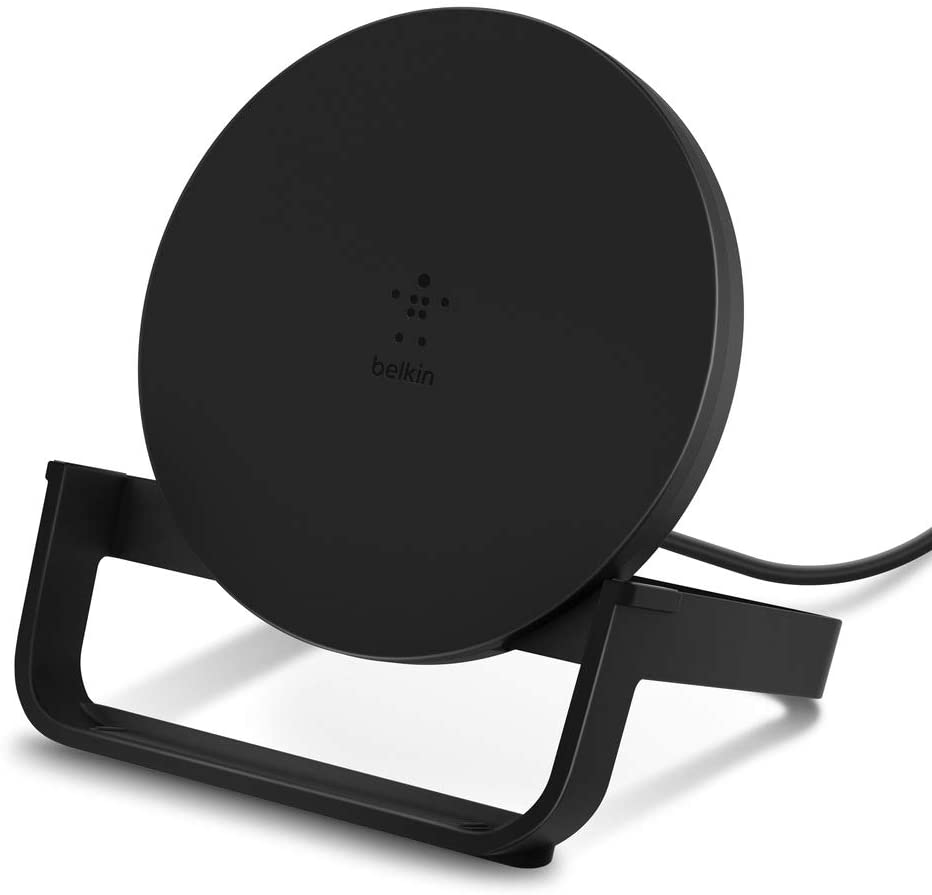


Belkin for one openly states that it is not compatible with the iPhone 12 family - but they are coming out with a new stand that will be.


Your NANAMI docks are another great example - they hold the phone in a precise relationship with their charging coils, and the coils in the iPhone 12 phones aren't in the same place they were on previous iPhones; the position of the coil in the phone is not part of the Qi standard.


On the other hand, I have a Mophie Qi puck that I bought for use with my iPhone X that still works perfectly to charge my iPhone 12 Pro Max:
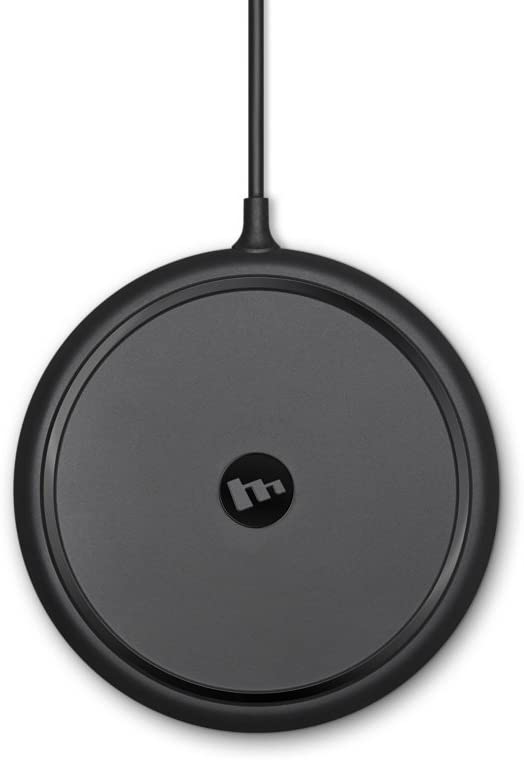


I have MagSafe chargers as well, and I prefer them for their additional functionality but don't have to use them.

Feb 28, 2021 10:33 AM in response to ryken229

It will depend on the model of wireless charging base you have, however this is NOT the iPhone.. it's an incompatibility with the implementation of the charging system.. for example I have a ubioLabs wireless charger and it stops working with the iPhone 12 after a few seconds.. a flashing amber light starts blinking. It only takes a quick read of the user manual to see what's up..

A blinking amber LED indicates a foreign object has

been detected (metal objects like keys, coins, magnets,


The new iPhone 12 uses the new magnasafe technology - IOW there's a magnet in the back of the phone - this is the same issue that has made the news lately because Pacemaker owners are being warned about carrying their iPhone 12 anywhere near their chest in the event it triggers the magnet sensor in the Pacemaker.. Apple has released a support document on this:


https://support.apple.com/en-us/HT211900


tl;dr - Your wireless charger isn't compatible with the iPhone 12. You'll need to find a charger that is.


Mar 8, 2021 8:49 AM in response to ryken229

I’ve been irate about this too and finally got my phone to respond to other chargers.


Maybe this will work for users who tried turning off Optimized Charging only to see it not work. I was in this camp and have tried lots of variations to check for a result only to find something DID work for me.


I had to do a firm restart after turning off Optimized Battery Charging. Apparently the phone remembers something for many users after turning the feature off. It seems I had to clear my cache to get the phone to respond correctly.


Settings > Battery > Battery Health > Optimized Charging <OFF>

Quickly press and release:

Up Volume

Down Volume

press and hold the sleep wake button until the phone shuts down completely


I suggest doing a soft restart as well.

Mar 11, 2021 6:36 PM in response to LarryMetos

We have a 12 and a 12 Pro Max.


Dogcow is right however. With MagSafe the placement of the charging coil in the phones moved. This presents an issue for many older chargers, many of which are single coil chargers. A flat charging plate will let you place the phone in the exact right spot to align the coil in the phone with the coil in the charger. Or get a newer charger with at least dual coil and make sure the manufacturer specifically suggests it works with iPhone 12 series phones.

Nov 1, 2020 5:48 PM in response to ryken229

I had my iPhone 12 pro delivered 4 days ago. I have a mophie pad charger (mophie is a top shelf charging pad, not a cheaply), I place the phone on the pad, the charging lightning bolt appears on the phone for approx 5 second then stops charging. The charging pad has a flashing light when charging, the light flashes the whole time the phone is on the pad as it thinks it is charging but not.


If I remove the MagSafe clear case (purchased with the phone from apple) the phone will charge.

Nov 5, 2020 1:12 PM in response to denefromtelford

I’ve just been on with Apple support. I am now solved but it appears that one of the two wireless chargers in the house was through a USB adapter to the mains and wasn’t giving enough power to charge this phone even though it would do older iPhones. The other that was by the same manufacturer but connected direct to mains works fine. Could be worth checking if your chargers are using a connection with enough power output for this phone

Nov 12, 2020 6:58 PM in response to GT_UKie

I was having the same issue where I had to reboot my phone in order to use a wireless charger. Apple support was able to help me resolve the issue. This is what Apple support had me do.

  1. Press the volume up button once (only this button should be pressed)
  2. Press the down button once (only this button should be pressed)
  3. Press and hold the power button until the phone automatically shuts off (only this button should be pressed and ignore the power off slider and keep the button pressed until the phone automatically shuts off)
  4. Turn the phone back on and charging works repeatedly.

I hope this works for others too.

Nov 19, 2020 9:26 AM in response to NOiSEA

If your phone was not charging without the magsafe case, I would imagine like me and many others, it's the charger. I have effectively proven that a more modern Qi charger, with a higher W QC3.0 charger and dual charging coils completely fixed the charging issue we were having with our phones. No software update was required as we were already on 14.2. And no reboot or restart was required either. What worked was getting new chargers with higher output and dual charging plates.

Nov 25, 2020 8:28 AM in response to cyrille224

I have both a Seneo charging pad and a stand. I have tried the suggestions provided in this discussion: optimize battery, latest OS, reboot. None of these has made a difference.


The pad works if I get the iPhone 12 Pro positioned properly. The range of proper positioning is much smaller than with the earlier models (8, XS, 11).


I experimented with the stand and I found after about a dozen attempts that if I position the phone just right, it will work. Just right means landscape mode and at a specific place. 1mm left or right would not work. The positioning was not so finicky with the other phones.

This thread has been closed by the system or the community team. You may vote for any posts you find helpful, or search the Community for additional answers.

iPhone 12 Pro Wireless Charging Issues

Welcome to Apple Support Community
A forum where Apple customers help each other with their products. Get started with your Apple Account.


