Universal Control

Good Day


I am using a MacBook Pro 15inch (2018 Model) with Touch Bar. When I'm connected to a monitor via a hub, and the matchbook lid is closed i.e operating in clamshell mode) Universal control stops working and I can't reconnect to the iPad.


Please can somebody advise?


PS! - I have upgraded all my devices to the latest operating systems and have firewall turned off

MacBook Pro 15″, macOS 12.3

Posted on Mar 16, 2022 10:33 AM

Reply

Similar questions

36 replies

Mar 23, 2022 12:50 PM in response to RidhaaBooley

I keep my '20 Intel MBP closed fulltime and docked to an external monitor. Universal control does does work for me in this configuration and I can control my iPad Pro. But... this only works intermittently. I can't 100% reproduce the behavior at will or I'd open a ticket with Apple. However, if I go into the iPad Pro's setting and toggle hand off off/on, this sometimes temporarily fixes the problem.


Bottom line, it shouldn't matter if your MacBook lid is open or closed but Universal Control is still not fully baked yet - which may be why it's still labeled as "Beta".


May 30, 2022 2:22 AM in response to RidhaaBooley

Hi,

I had the following experience, universal control was working fine from my MacBook Pro. On my Mac mini M1, sidecar was OK but no Universal Control. After an extensive troubleshooting with Apple help line, no solution was found.

I just realised that the only difference was that my iPad was connected to the Mac by USB (for charging). Just removing the USB from the Mac mini solved the problem.

On the other side, if I plug an USB cable between my MacBook and the iPad, I will loose Universal Control from the Macbook.


Jun 5, 2022 3:37 PM in response to RidhaaBooley

Hello,


Since last update it has completely stopped working on my MacBook Pro.

Very strange things happen that I have tried to fix with reboots of all devices, resetting SMC, PVRAM, etc. and nothing.


I have a Mac mini, iPad Pro and MacBook Pro 16 Intel (all compatible with Universal control).

The Mac mini and iPad detect fine but with the Macbook there is no way.

If I have it connected to multiple monitors via a Thunderbolt dock from Plugable it does not detect any other device for universal control (yes for adding sidecar).

If I disconnect it from the dock, it detects the iPad and the Mac mini. Sometimes I have to disable the Firewall (Mac's own) and reboot to get it to detect it even though it is supported in the Firewall for universal control.


If I connect universal control with iPad and the Mac mini without the Thunderbolt Dock, and I connect, universal control process death and I can't use universal control.


Before last week's update, I could perfectly have the Macbook with two monitors connected by Dock, the Mac mini and the iPad Pro all connected by universal control. Now there is no way and I don't know what else to try.

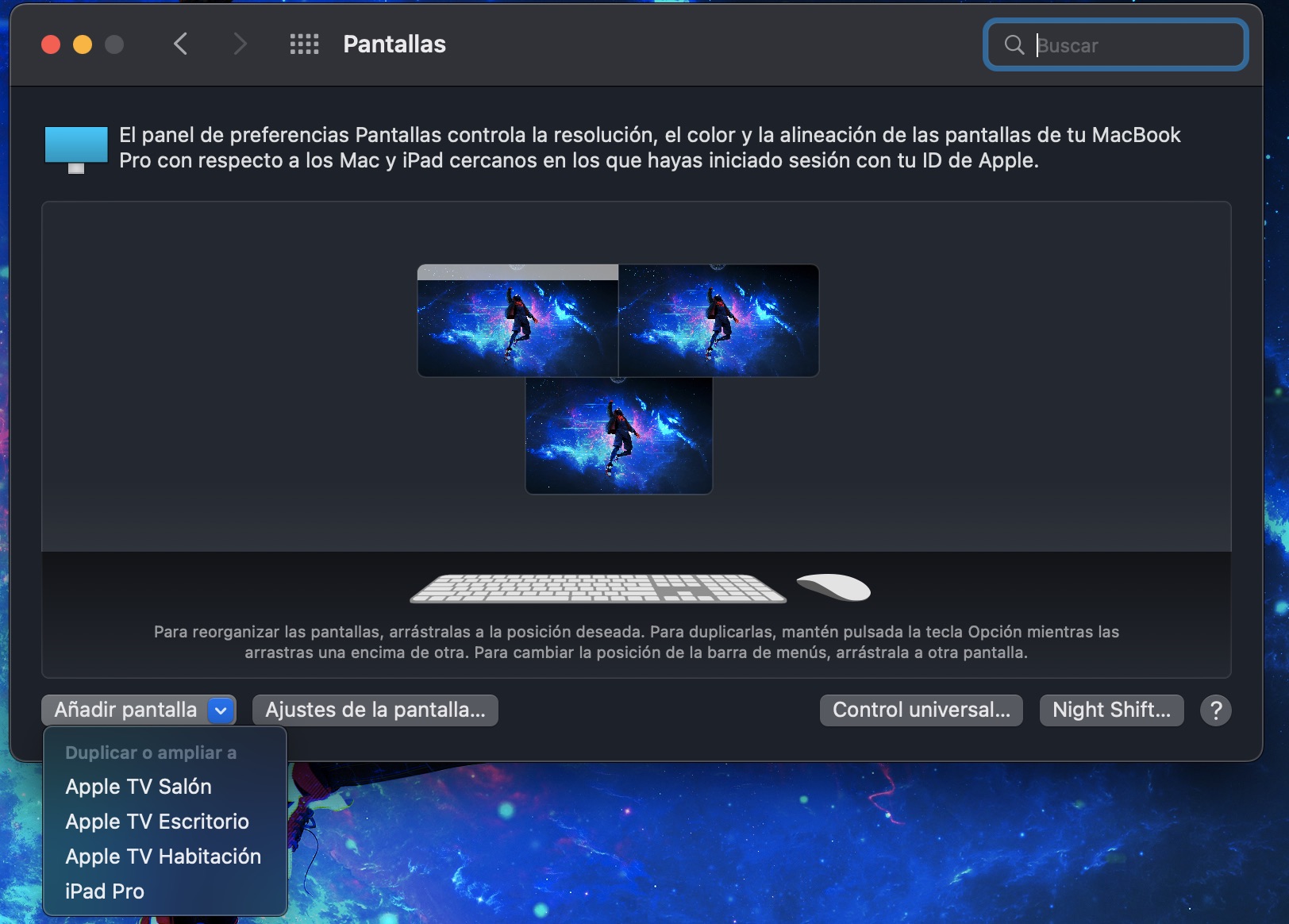
Mar 16, 2022 2:31 PM in response to RidhaaBooley

For me, it all works whether my MacBook lid is open or closed. When it's open, both the MacBook's keyboard & touchpad work with Universal Control , as well as the external Bluetooth keyboard & mouse (and, yes, it can be confusing to have two sets of controls active at the same time). When closed, only the external Bluetooth keyboard & mouse work.


Although, again, I don't have any kind of hub anywhere in my setup.


Mar 16, 2022 1:40 PM in response to RidhaaBooley

Works for me with my 2018 MacBook Pro in clamshell mode with external Bluetooth keyboard & mouse with a regular iPad (7th gen). There's a tendency for the MacBook to "forget" the link to the iPad screen after one (or both?) of the systems go to sleep ... but after both have been awake for a while, the MacBook eventually "remembers" that there's a link.


But then, I'm using an external monitor directly connected to the MacBook -- not through a hub.


Mar 21, 2022 5:38 PM in response to claytonius

I can’t duplicate that problem with my 13” MBP (circa 2018) and my directly-connected external LG monitor. I’ve tried this connected to the external LG monitor using Display Port as well as HDMI.


Universal Control over to an iPad continues to work whether I open or close the MBP (as long as I’m using an external keyboard & mouse connected to the MBP, of course).


Both the MBP’s own monitor and the LG external monitor go briefly black when I open or close the MBP, but then come back up within 2 seconds (in the remembered alignment, when MBP is re-opened).


Mar 25, 2022 12:05 PM in response to RidhaaBooley

I'm in the same boat - a Samsung monitor that is old enough that it uses DP instead of HDMI and is running through an OWC thunderbolt dock. The monitor is 6 years old now and relatively low res. When I'm at work plugged directly into a Thunderbolt monitor - we're good. But when I'm at home plugged into the hub it's a no-go. Hopefully, it'll get fixed in an update.


Just out of curiosity - does SideCar work? Sidecar works just fine for the iPad as an additional monitor, but I can't get the Universal Control to work when I need the iPad to be an iPad.

May 30, 2022 11:07 PM in response to RidhaaBooley

With my (2018) MacBook Pro in clamshell mode connected to an external monitor (no hub) and a Magic Keyboard & Magic Mouse connected to the MacBook via Bluetooth, I can use Universal Control over to a gen7 iPad either side of the MacBook. Whether the iPad is connected to the Mac via cable (for charging and/or syncing) doesn't matter. Not does it matter whether the MacBook is open or shut. Of course, if it's open I also get to use its keyboard & trackpad just as well as with the Bluetooth'ed keyboard & mouse.


I surely don't see anything in wifi.log saying anything about UniversalControl at all. Occasionally I do get a log entry with the "ERROR:" tag, but those are only ever about rapportd or sharingd "not entitled for com.apple.wifi.join_history". Start by going to the very top right of this web page you're reading, and click on "Get Support".


I have no ideal why you're getting all those "ERROR: Universal Control [...] not entitled for comp.apple.wifi.events [...] but that doesn't look good at all. I really recommend that you talk to Apple Support directly.

This thread has been closed by the system or the community team. You may vote for any posts you find helpful, or search the Community for additional answers.

Universal Control

Welcome to Apple Support Community
A forum where Apple customers help each other with their products. Get started with your Apple Account.
