Hello antsarpong,
Does that still persist after using the steps below to verify you are updated to the latest macOS Monterey 12.5.1?
1. Before continuing, it's a good idea to back up your Mac.
2. From the Apple menu in the corner of your screen, choose System Preferences.
3. Click Software Update in the System Preferences window. Can't find Software Update?
4. Software Update now checks for new software.
• If Software Update finds new software, click Update Now or Upgrade Now to install. You might be asked to restart or enter an administrator password.
• If Software Update says that your Mac is up to date, then no new software is currently available for your Mac model.
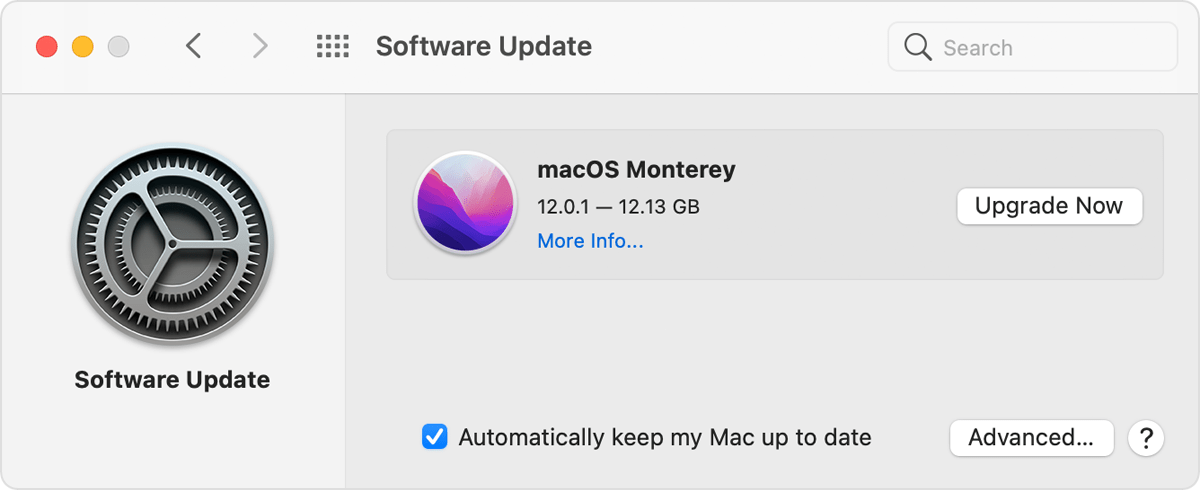
You can also find those steps in this resource: Update macOS on Mac - Apple Support
Do you experience the same behavior with other apps such as Photo Booth?
Should that still persist, you'll want to reach out to Apple Support so they can look into your options further: Contact - Official Apple Support
Take care.


