focus does not sync to my watch anymore

when i had my watch synced to me iphone 8 everything was alright, but now with my new 14 pro there's only DND, i tried deleting focus modes and adding them back, reseting the watch but nothing works

Apple Watch Series 7, watchOS 8

Posted on Oct 11, 2022 10:35 PM

Reply

Similar questions

1 reply

Oct 13, 2022 6:17 AM in response to vyce_

Hi, vyce


In order to use Focus on your Apple Watch, you'll need to follow the steps outlined here: Use Focus on Apple Watch - Apple Support


"Turn a Focus on or off
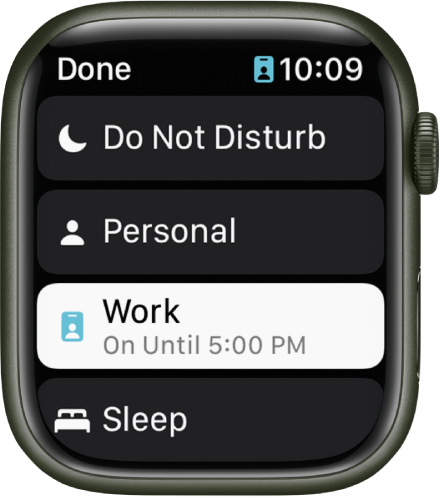
The Focus list shows Do Not Disturb, Personal, Work, and Sleep. The Work Focus is active.

  1. Touch and hold the bottom of the screen, then swipe up to open Control Center.
  2. Touch and hold the current Focus button, then tap a Focus.
  3. If no Focus is on, Control Center shows the Do Not Disturb button .
  4. Choose a Focus option—On, On for 1 hour, On until this evening/On until tomorrow morning, or On until I leave.

To turn off a Focus, just tap its button in Control Center.

When a Focus is active, its icon appears at the top of the watch face, next to the time in apps, and in Control Center."


We hope this helps you out.


Cheers.

This thread has been closed by the system or the community team. You may vote for any posts you find helpful, or search the Community for additional answers.

focus does not sync to my watch anymore

Welcome to Apple Support Community
A forum where Apple customers help each other with their products. Get started with your Apple Account.
