iPod Classic won't sync with Ventura 13.0.1

Hi there, since I updated my MacBook Air to Ventura 13.0.1, my iPod Classic will no longer sync my library with Apple Music.


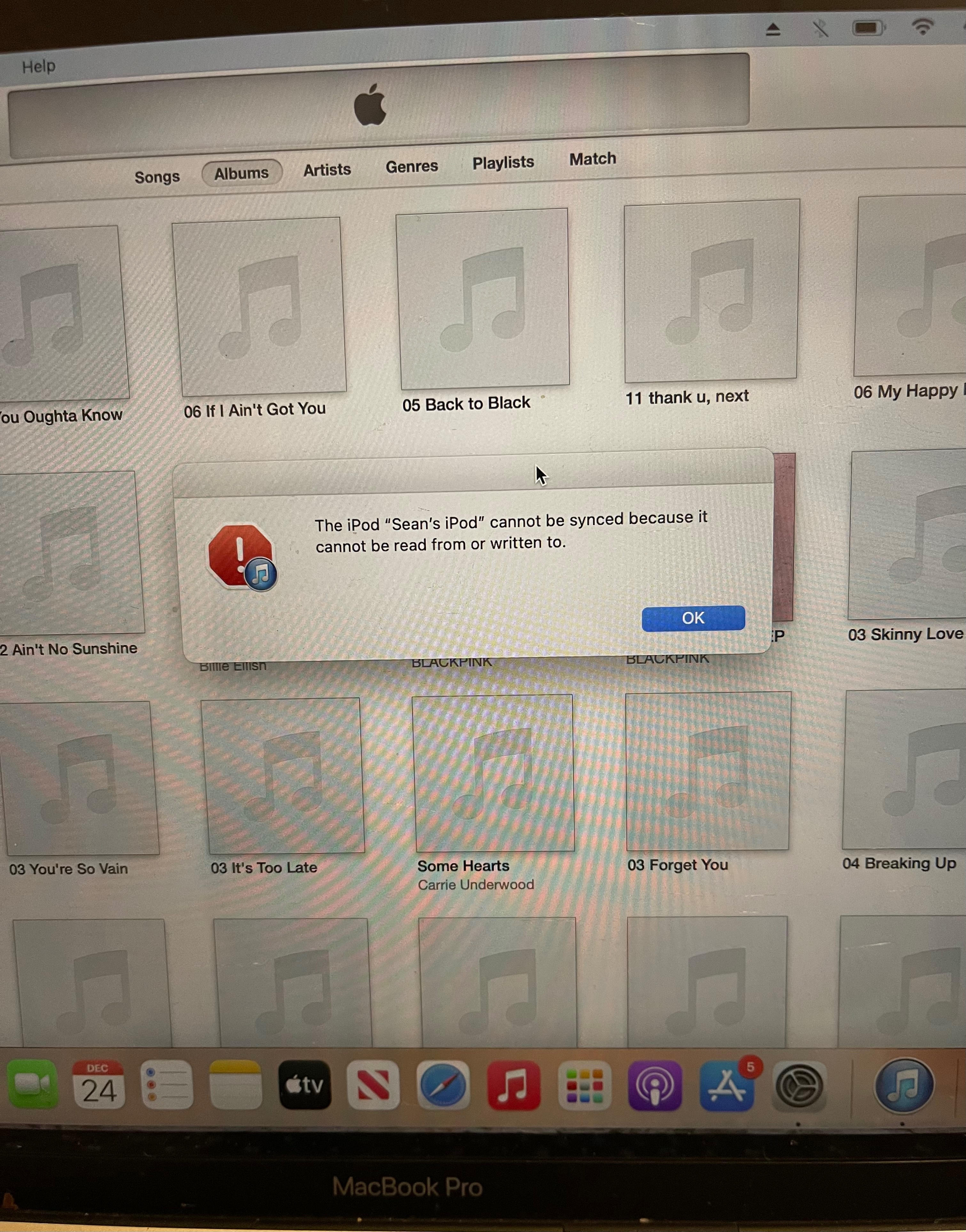
I connect it, then when I click on it in Apple Music, it tells me "This iPod is open in another window" ... I then try again and can see the songs on my iPod, but trying to sync it just gives me a swirling icon that never progresses, even if I leave it for an hour.


When I eventually yank my iPod (because it won't eject when this happens either), my files on the iPod are unchanged.


I've tried resetting the iPod and the MacBook many times, but nothing is working. I have also tried different ports on the MacBook. Any suggestions on how I can fit this? I've got music from weeks ago that I haven't been able to add and listen to yet!

iPod Classic

Posted on Dec 8, 2022 3:38 AM

Reply
Question marked as Top-ranking reply

Posted on Dec 25, 2022 2:51 AM

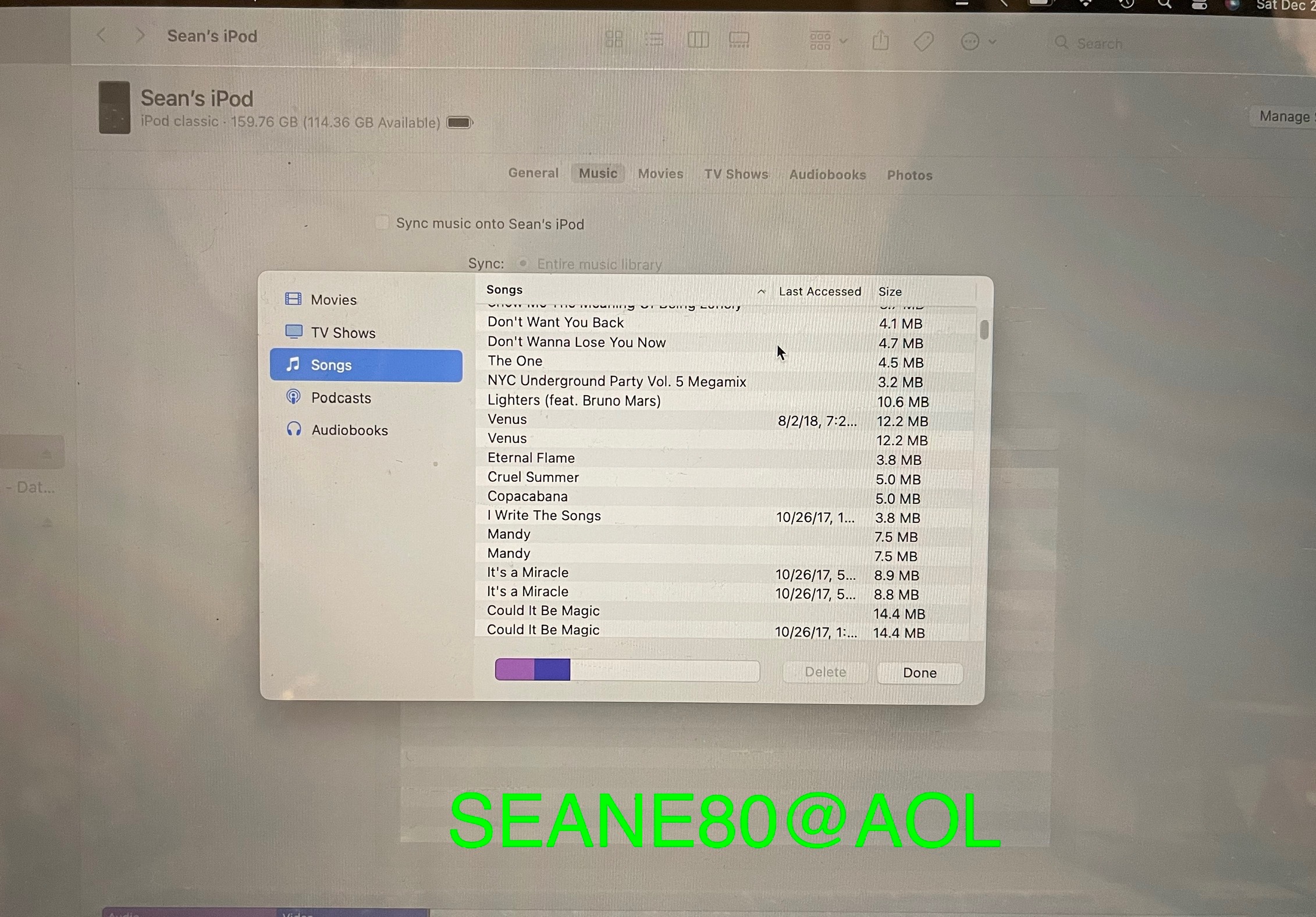
Ok I solved it. Sort of dumb in the end. The trick is to have Apple Music completely closed, go into finder and open the iPod there, and then you can sync it from there. So thank goodness, my iPod still works! haha. Thanks again for all the help tt2!

29 replies

Dec 11, 2022 2:49 AM in response to turingtest2

Tried that and it didn't make a difference ... and I've done diagnostic mode, it says zero Reallocs or Pending sectors. I did manage to do a Disk Utility check somehow (but it still wouldn't sync) and it came back with no problems. And I can move files on and off it in finder, too, which is what I mean when I say it's working as a usb.


It also works fine for playing music ...


Maybe I should just reformat it, if I can manage to do that ...

Dec 19, 2022 2:07 AM in response to iPod_User_2008

I do wish they wouldn't make things up. I've just synced around 100 songs to one of my old classics using Ventura. I still don't know why you're getting that open in another window warning, I don't get it here, and haven't yet run into a workaround for it, but Ventura is perfectly capable of syncing to older devices that Apple may no longer choose to actively support.


tt2

Dec 24, 2022 5:44 PM in response to turingtest2

Hey 👋 Turingtest2! 

Could you please help me then, since you seem to know what you're doing, plus you've had luck with something I cannot figure out… 

I can play all the songs in my iPod classic using the iPod (quality is something terrible but it might be my headphones) and all the 2,500 plus songs are using less than 50Gb of space, is that normal? Seems low. 

And even though I can play the songs on it, when I connect it to my MacBook and it pops up like a hard drive, and I open it, there are no songs anywhere in any folder!?

If I search for a song in finder it doesn’t come up either!!

But now with iTunes, I CAN SEE THAT THE SONGS ARE ON THE IPOD IN ITUNES!?

I used….something called APERTURE on Github. I 🤔 think….. to download iTunes on my “2020 13” MacBook Pro Running Ventura” but still, I’m getting nowhere. I was at 1 point asked, in music if “I was sure I wanted to sync my iPod, BC if I Did I would lose songs on my iPod”?! Something to that effect, and I should say it’s the “Semi-Brickish IPod classic” the click wheel I think 5th version?  Not the original monster but the lesser monster, probably 1 of the last models made from idk 15 yrs ago maybe? 

And since, I’ve never done what I kept wanting to and saying I should have updated to an iPod touch or Whatever is the newest version of an iPod? Why I’m sure you might be thinking. Because I have well over 2,000 songs on there, a lot of Doubles, triples, and Quattro’s even! But not just songs purchased from iTunes.  Because at some point at the beginning of the Digital music phenomenon, I put EVERY CD I HAD ONTO IT. And might have a song or 2 Downloaded from Napster?

But even Songs that are on my current computer from CDs I download, the MacBook Pro, even they don’t show up on my iPhone in Music?! I DONT KNOW Why!? 

SMH, I’m very sorry I’m all over the place.

But the Point is, I Just DESPERATELY want to compile ALL MY MUSIC INTO 1 PLACE like an external SSD DRIVE & THEN HOPEFULLY I COULD USE it ON MY IPHONE.

Is THAT EVEN POSSIBLE?!🫣😫

Maybe that's what I should have said first?!

 I will attach screenshots of the things I mentioned, is it possible to email you? Is that allowed? Or can you can email me? If you can help me with this, I would be very grateful!! I would even pay you if you’d like, id do anything to get this resolved, I’ve been trying for months!

I Knew what I was doing more on windows because I grew up on that, but ever since I switched to Apple thinking everything else I have is apple so….. but no I’m Lost! 

Again, terribly sorry for rambling on🙄🫣!!  You’re a Saint 🙏🏼 if you Read this through! So TY!
Jan 29, 2023 4:52 PM in response to Dinghello

You're welcome. 🙂


I always thought there'd be some super high def, affordable new device with lossless quality sound and a huge memory...


Can't help with the affordable bit, but Apple Music on an iPhone now does lossless, some with Dolby Atmos, from an enormous collection. You can stream anything you don't have room for so storage is only an issue if you need to be offline, or don't want to pay for all you can eat data (like me).


tt2

Jan 30, 2023 12:39 AM in response to turingtest2

Yep, that's where it's at and makes sense that streaming has won out over a static collection. I'm locked in the mindset of buying the CD and ripping to a device but when the iPods die or the batteries just can't do it any more, I imagine I'll do the same. And if you can get lossless without the price being through the roof, so be it. I'll still but the CDs! I was interested in Tidal for their high quality but not Alexa compatible in UK and that's essential for me. I'm currently streaming from Amazon on a Samsung having left Spotify with Neil Young, but that can all change...

Mar 6, 2023 1:13 AM in response to dijay1

A few weeks on and the above workaround from @turingtest2 is tolerable, you just have to make sure that all the data is how you will want it to be permanently before you add tracks to the iPod, but there is one irritating element: it seems to be hit or miss as to whether the artwork appears. Sure, it looks fine in Music before you add, but then it may or may not appear on the iPod itself. I've had to repeat the process 2 or 3 times with a couple of albums to get the artwork on there, which is tedious because you have to manually find each track individually and delete (unless you've played them all in which case you can find them chronologically under 'last accessed'.


Huge thanks and kudos to anyone who knows a failsafe way of knowing the artwork will appear correctly on the iPod before you import it!

Mar 6, 2023 2:23 PM in response to turingtest2

Thanks for the help again but I'm afraid that doesn't solve it, just double-checked with a recent addition to the iPod, a 2 CD set. Artwork appears under Music in Finder but not on the iPod. I always delete any automatically downloaded/embedded artwork that appears when I import the CD because experience has shown it pretty well never shows on the iPod, but I really can't see what dictates appearance or non-appearance when I add it manually.

This thread has been closed by the system or the community team. You may vote for any posts you find helpful, or search the Community for additional answers.

iPod Classic won't sync with Ventura 13.0.1

Welcome to Apple Support Community
A forum where Apple customers help each other with their products. Get started with your Apple Account.