If you're receiving an error when trying to add a card to Apple Pay stating "Card not added. Contact issuer for more information", here are a few steps and considerations you can follow to potentially resolve the issue:
Check Compatibility:
- Ensure that your bank or card issuer supports Apple Pay. Not all banks or card issuers are compatible with Apple Pay.
- Make sure your device is compatible with Apple Pay. For instance, older iPhone models do not support Apple Pay.
Verify Card Details:
- Double-check to ensure that you're entering all the card details correctly, including the card number, expiration date, and CVV.
Internet Connection:
- Ensure that your device has a stable internet connection, either via Wi-Fi or cellular data.
Update Your Device:
- Ensure that your iOS device is running the latest version of iOS. Sometimes, updating can resolve compatibility or software-related issues.
Restart Your Device:
- Try restarting your iPhone or iPad and then attempt to add the card again.
Check Restrictions:
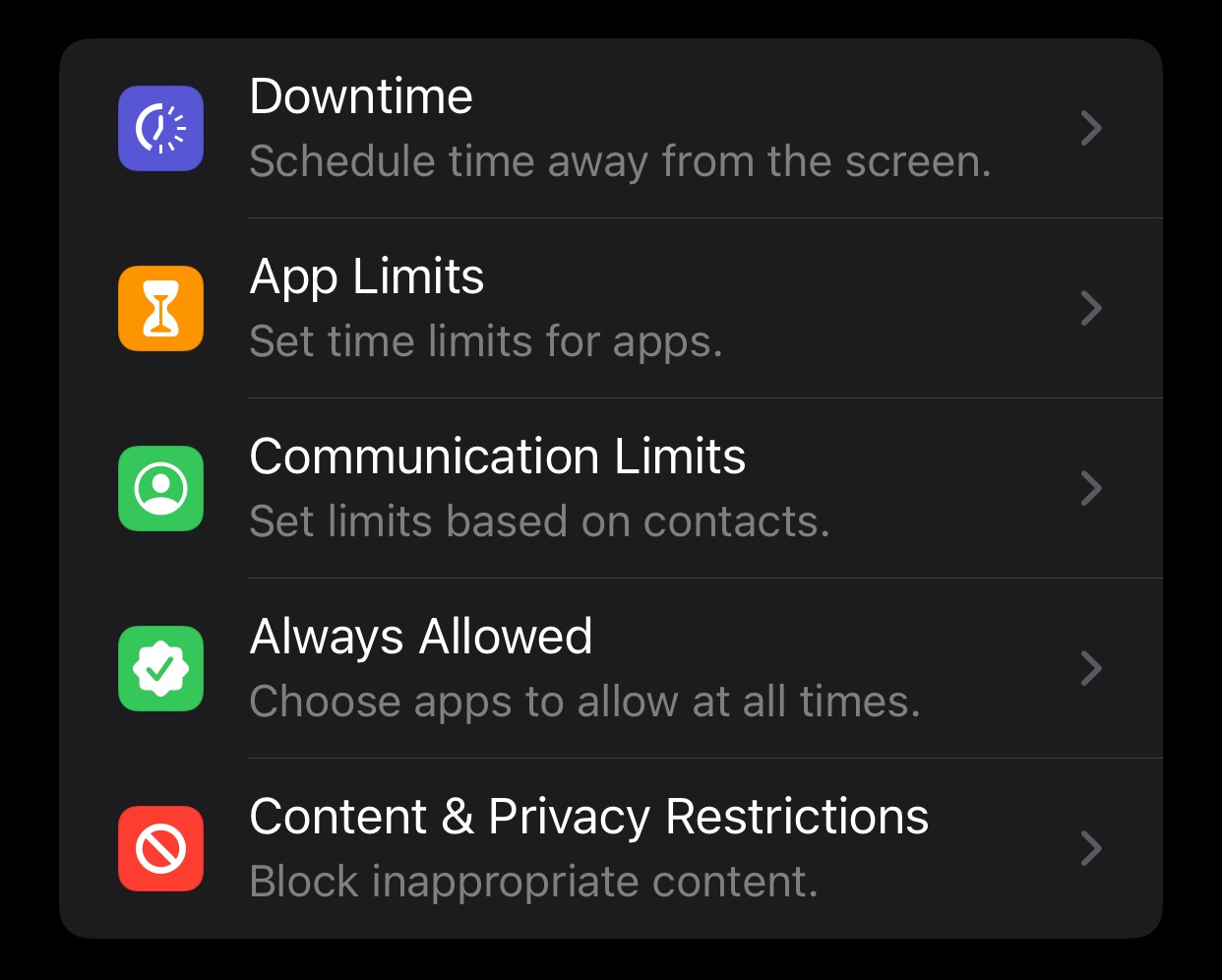
- Go to Settings > Screen Time > Content & Privacy Restrictions. Make sure that the "Adding Cards" feature under "Allow Changes" is not restricted.
Contact Your Card Issuer:
- The error message suggests contacting your card issuer. This is because sometimes there might be security restrictions or other issues from the bank's end that prevent the card from being added to Apple Pay. They might provide specific guidance or take necessary actions on their end.
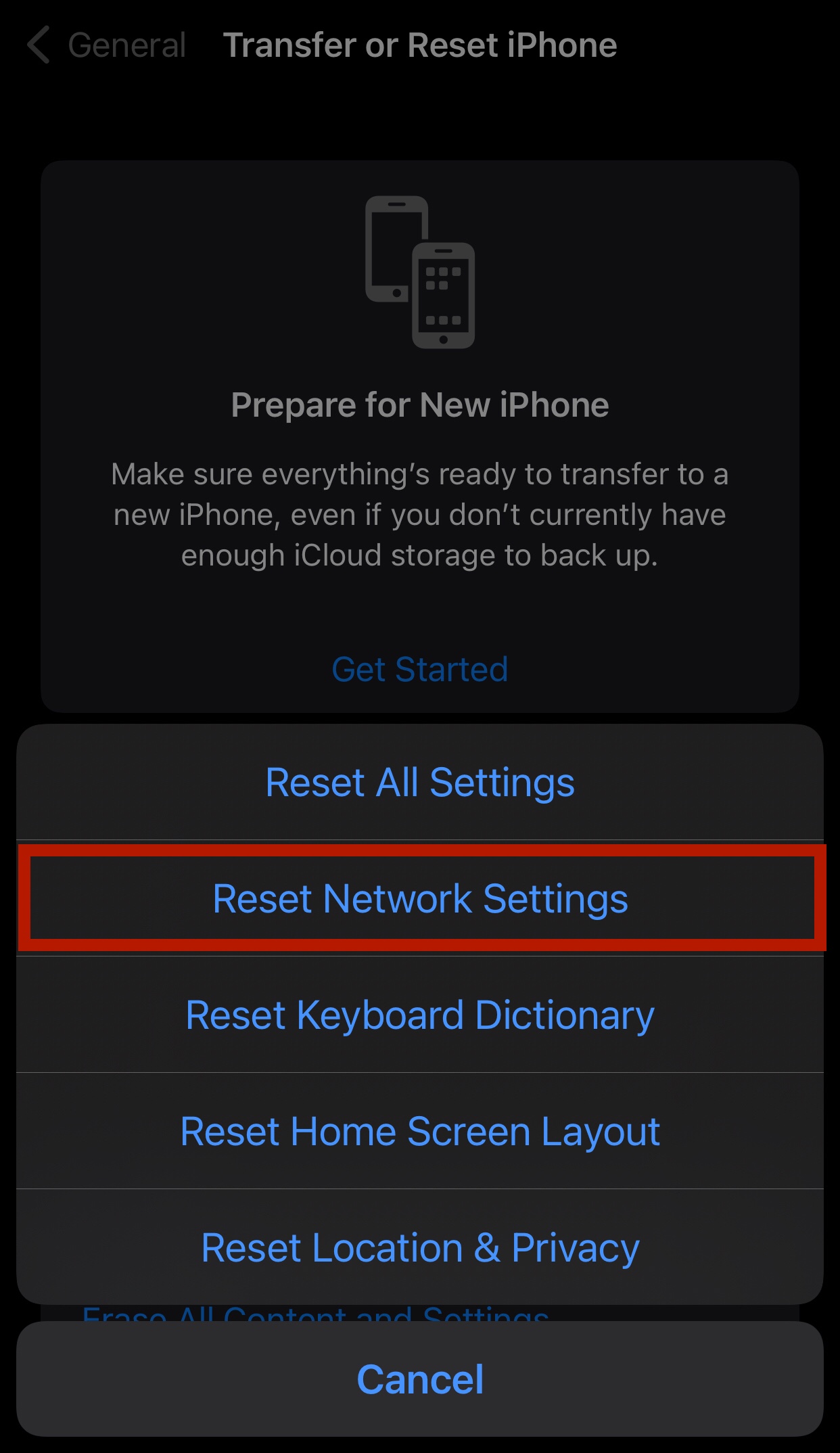
Reset Network Settings:
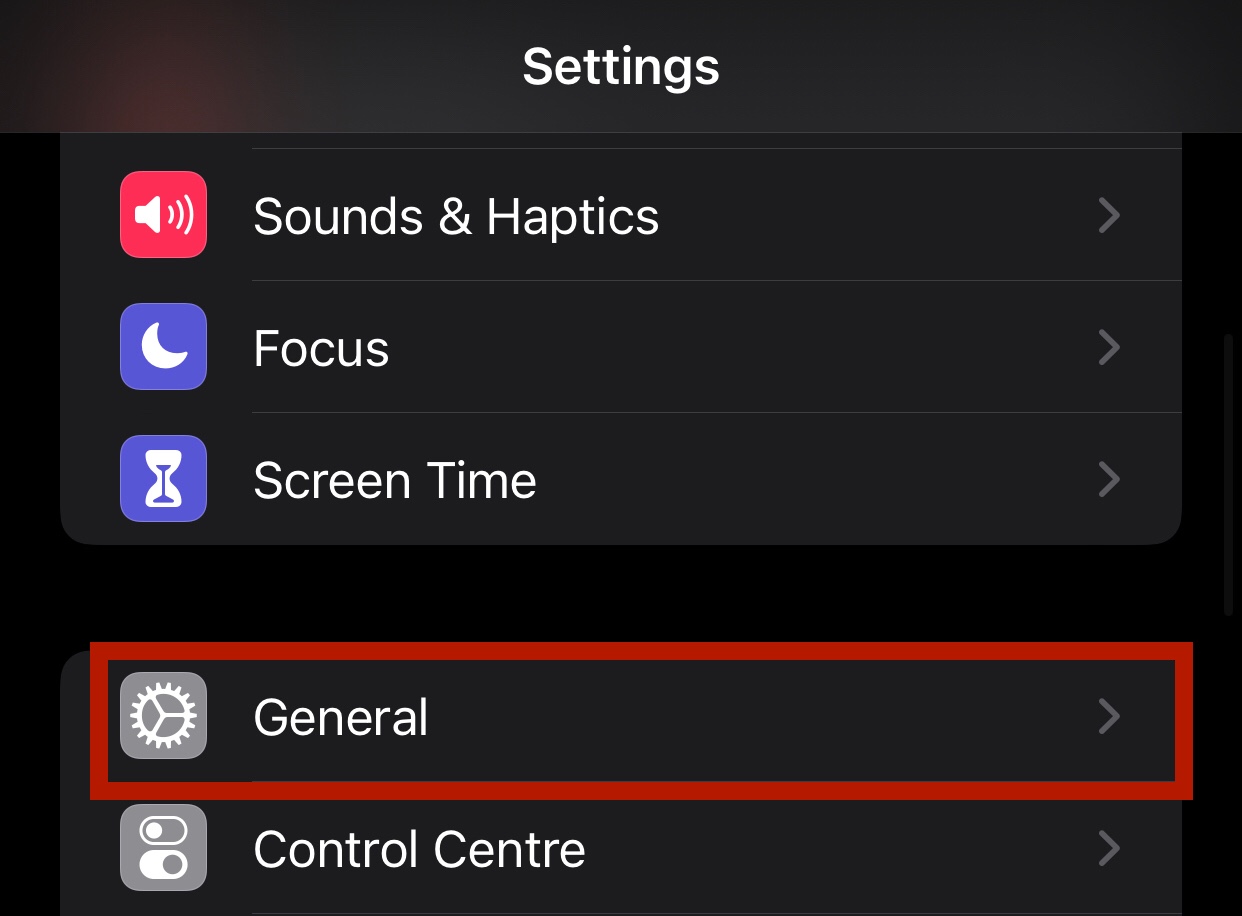
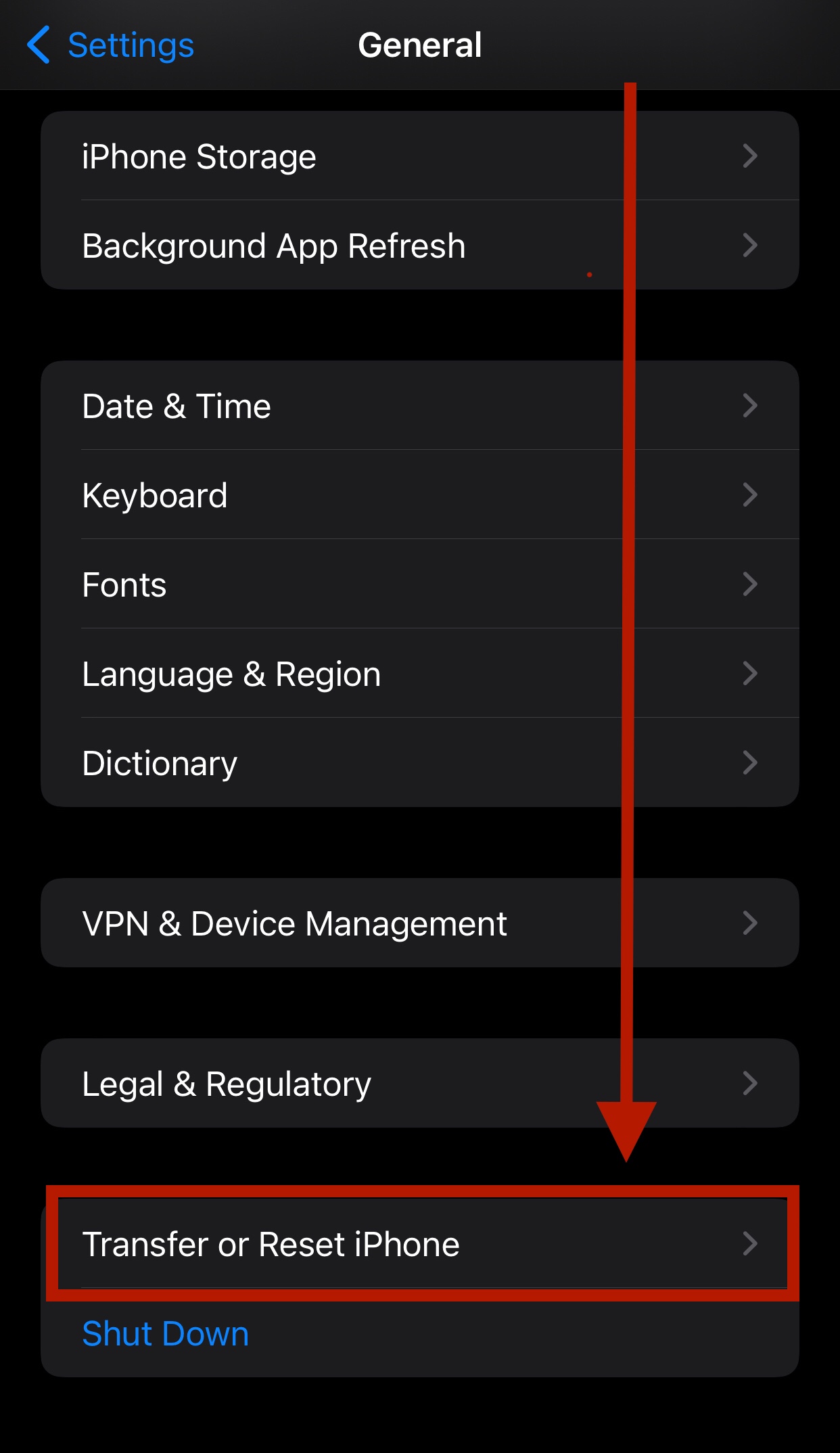
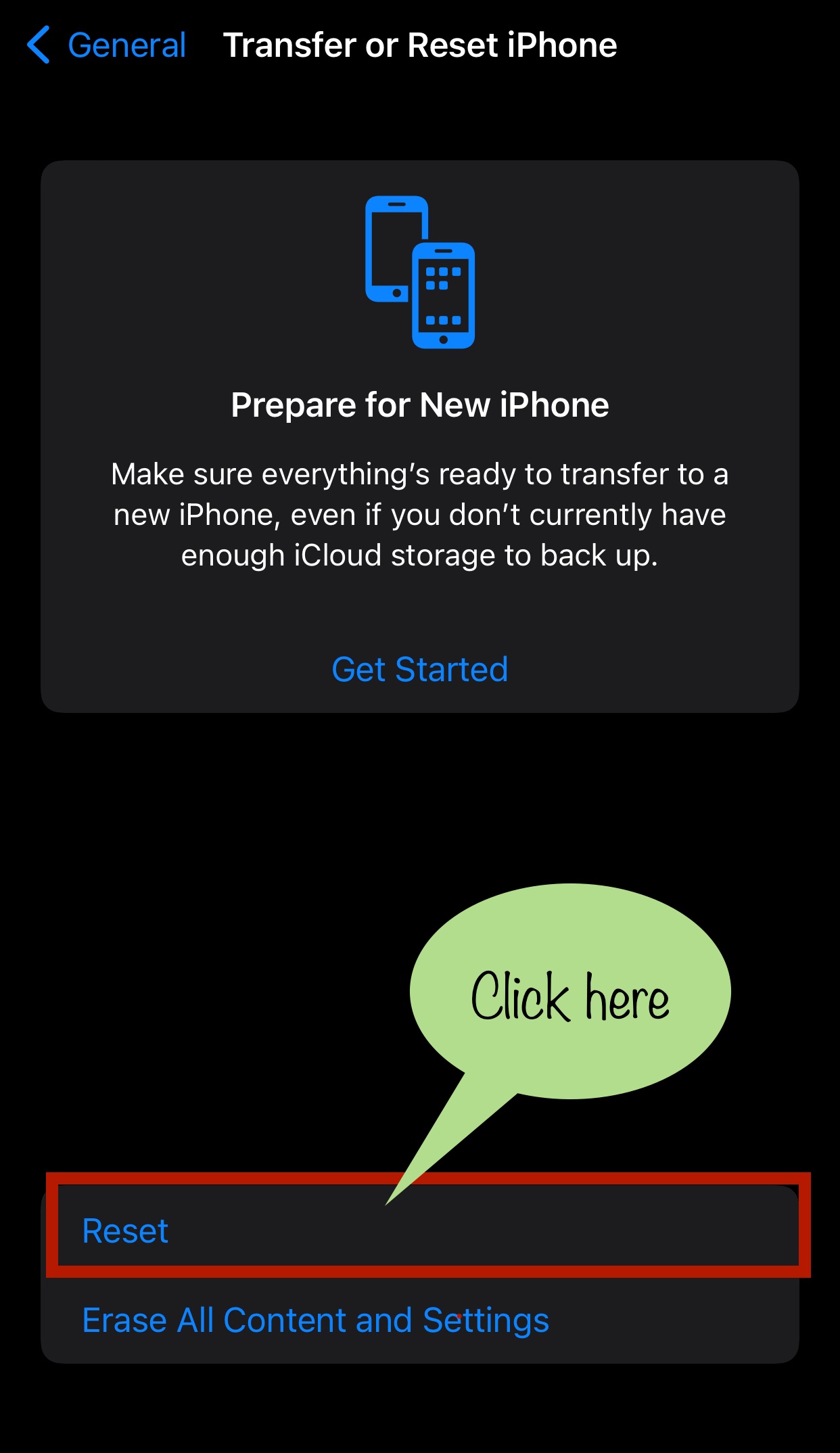
- Sometimes, resetting network settings can help. Go to Settings > General > Reset > Reset Network Settings. (Note: This will erase all your Wi-Fi networks and passwords, cellular settings, and VPN and APN settings on your device.)
Contact Apple Support:
- If none of the above solutions work, it might be a good idea to reach out to Apple Support. They might provide more specific guidance based on any recent issues or updates.
Remember, the key is to be patient and methodical when troubleshooting.


