kalex10 wrote:
Sorry, but I did not understand your answer. I have the latest versions
Sorry I do not understand where the confusion is.
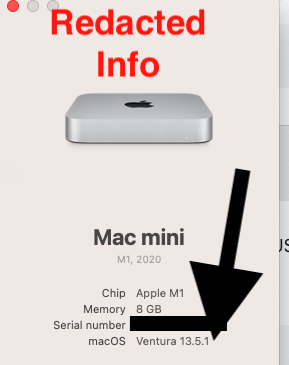
So perhaps you can give US a screen shot from About this Mac without Serial Number appearing
This will make clear to All, what version is used on this your computer.
If and Only if it does not show Ventura 13.5.1 as installed - then there is part of the answer to your computer issues
And how can this affect the fact that some messages are synchronized with a delay, but others are not at all?
Does this computer have Third Party Security Software inserted and used on this computer ?
Has the user installed some Disk Cleaners Application on this computer ?
To help in this matter >>
Any of the below should be removed as per Developers Instructions
1 - Disk Cleaner
This will include CleanMyMac , aka “ BrickMyMac “
MacKeeper,
Dr Cleaner Pro Plus
Open Cleaner one Pro
Macmechanic
Clean my Mac x.
2 - Third Party Security Software
This will include BitDefender ,
This will included Norton Antivirus
Sophos Av Software
Intego AntiVirus
McAfee,
Avast AntiVirus
Ad Guard,
Webroot ,
ESET ,
Avira ,
AVG AntiVirus
avira antivirus
Trustee
AntiVirus for Mac
F-Secure
Securemac
Cylance
Kaspersky Internet Security
Total Virus Software
VirusOne
Remove Virus One
Read some of the posting and arrive at your own conclusions.
The The Built in Security is all that is required.
Mac app security enhancements - Apple Support (CA)
Security. Built right in


