For me also since around the time I moved to Sonoma, I've no longer been able to copy and pasted in the expected way from Google Sheets to Numbers or to Notes. I have workarounds though.
He's my demo Google Sheet:

For some context, pasting that into TextWrangler shows TSV formatting (3 lines with two tab separators on each line).
With Notes app, a paste of a rectangle of cells from Sheets into body format used to make a nice table, but now it makes a strange set of 1x1 tables (one for each copied cell, but with a value only in the first one). See the first part of this screenshot:
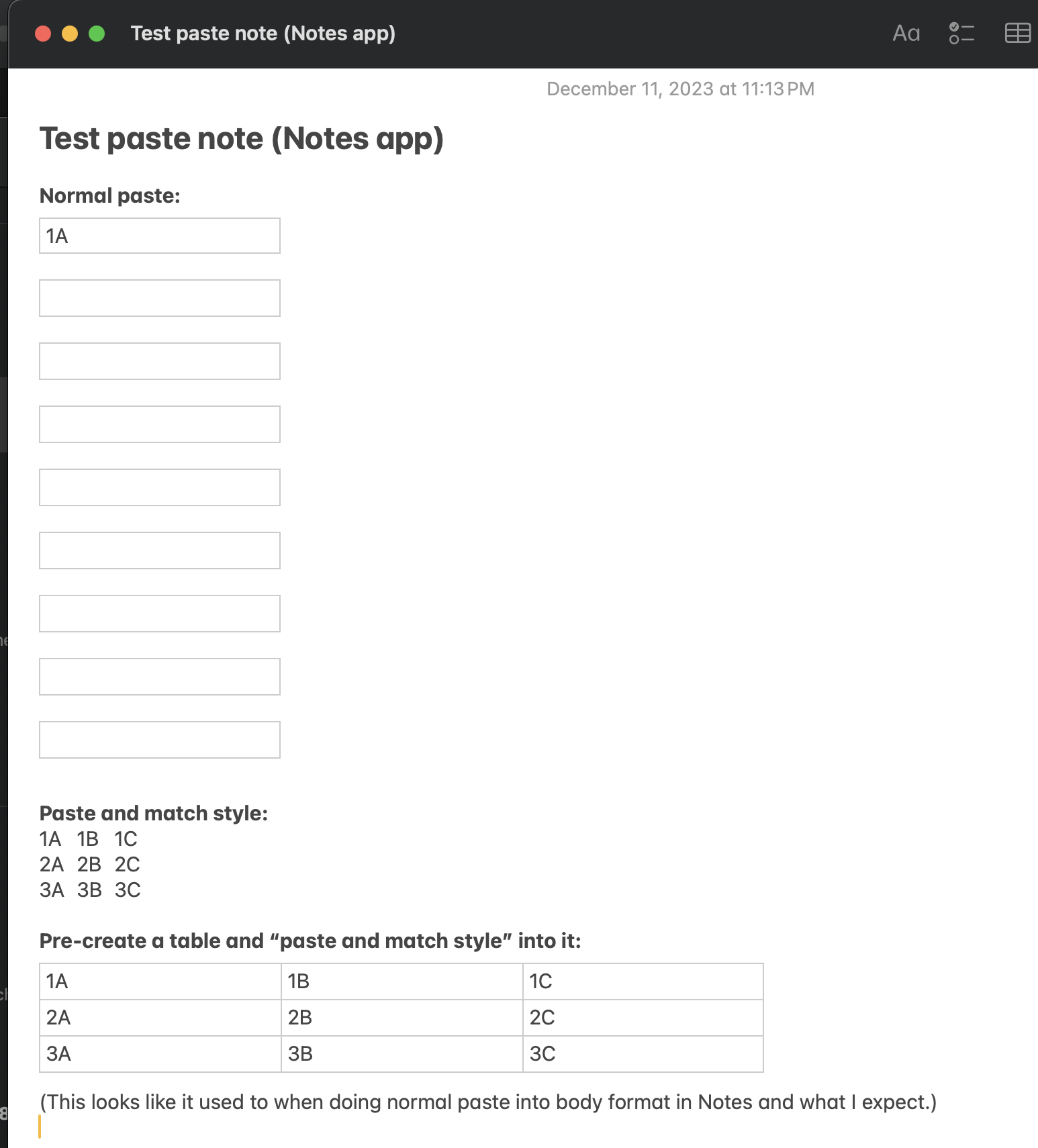
The workaround I just found is to create an empty table in Notes (can be undersized), the do a paste into that as shown at the bottom of that screenshot (there is an error in the screenshot, it is a normal paste into the table, not a paste and match style).
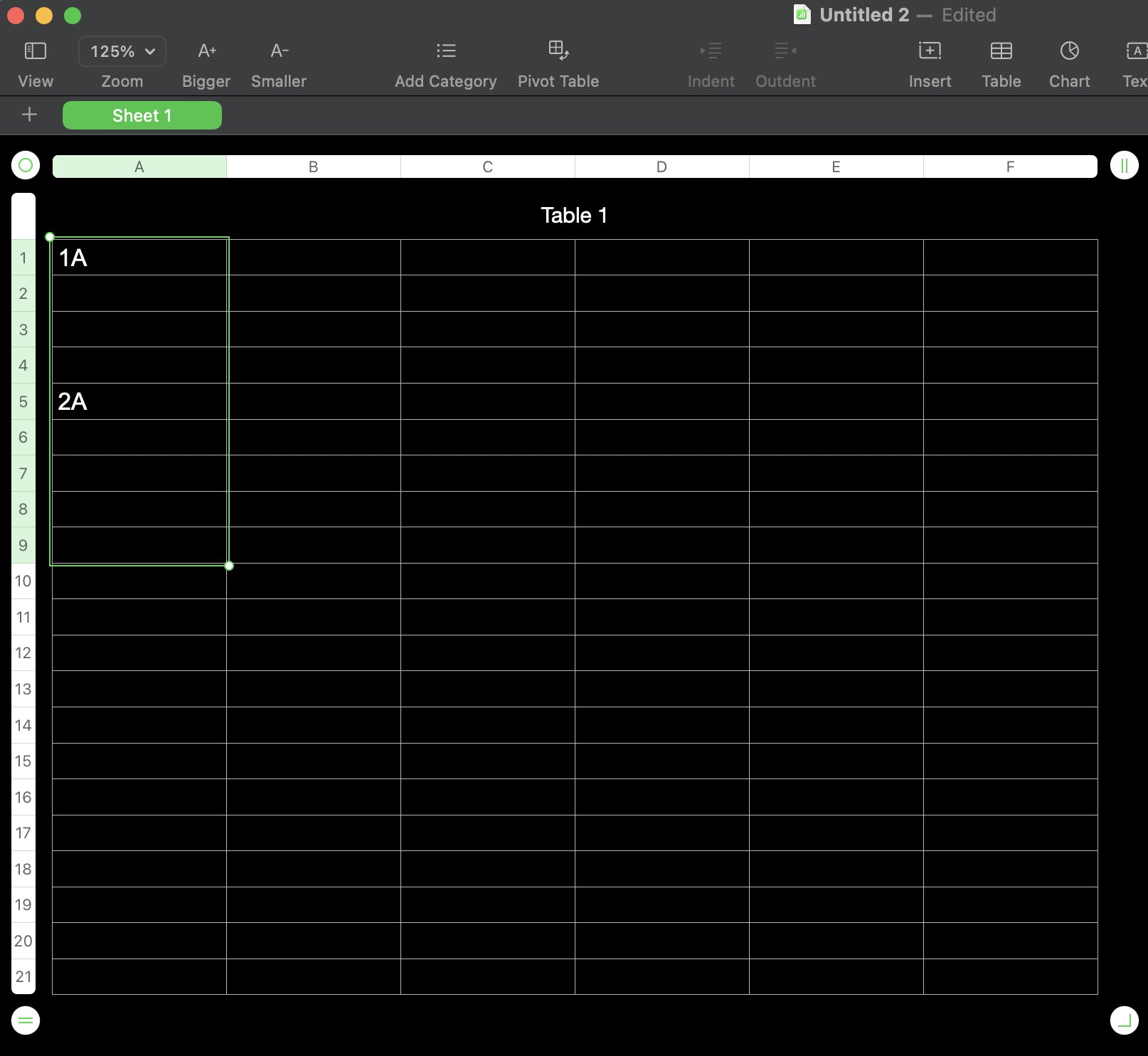
This is pasting those same 9 cells into Numbers, when cell A1 in a table was selected:
It gets even stranger when pasting this when no table is selected:
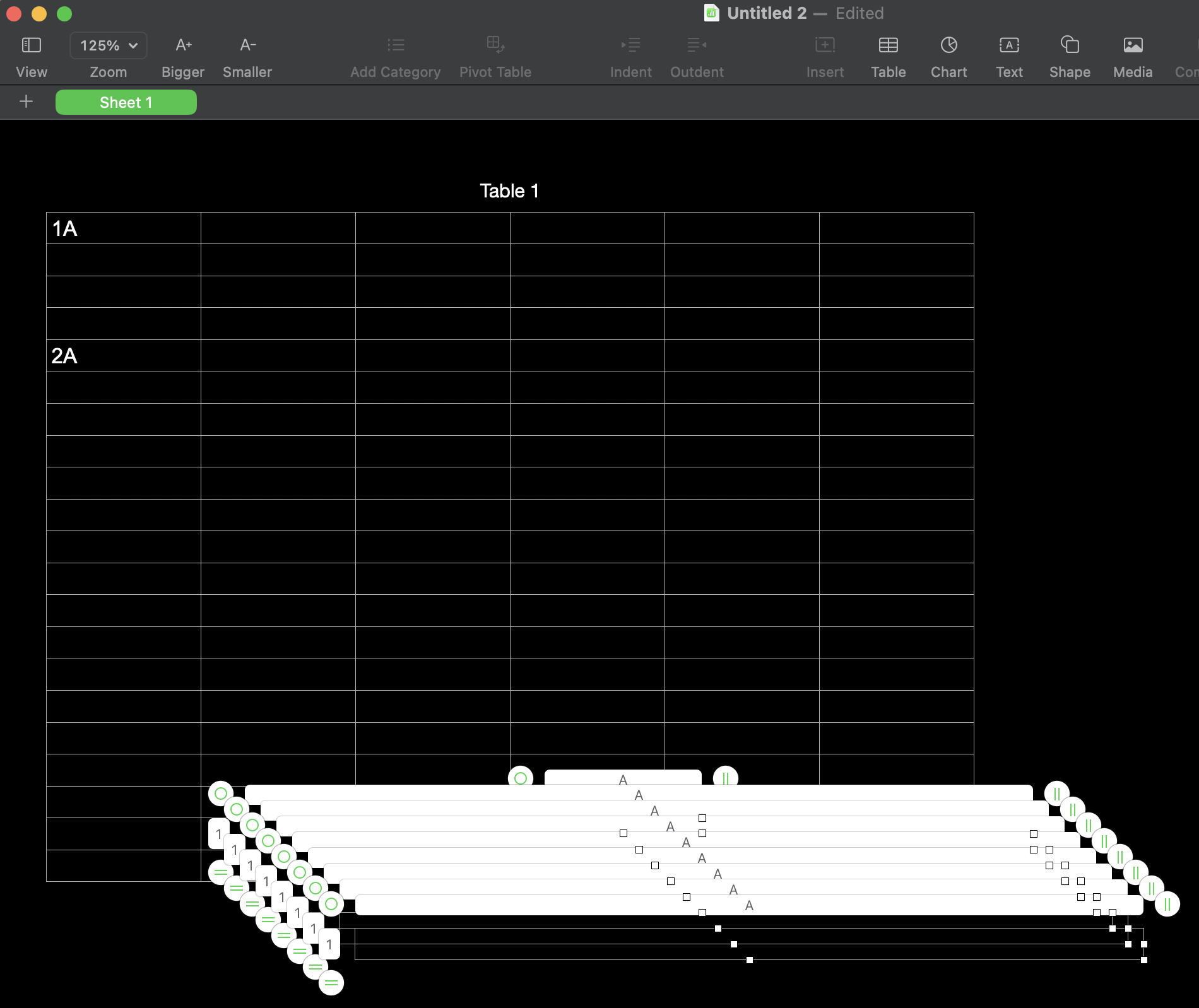
(9 new 1x1 tables were added.)
Workaround: use the workaround for the paste into Notes, then copy and paste from Notes into Numbers. Bit painful.
I don't think anything changed in Sheets, just that there are some kinks in the way Notes and Numbers handle it the paste with the new OS update.





