Outlook notifications do not work after update to 17.0.3

Outlook new emails don't show up in notifications after update to 17.0.3

Checked and enable everything for Outlook notifications but still not work.

Any ideas guys? Thanks.

iPhone 14 pro

iPhone 14 Pro

Posted on Oct 12, 2023 12:20 AM

Reply
Question marked as Top-ranking reply

Posted on Nov 17, 2023 2:03 PM

I don’t know if someone fixed something in the back end, but I was able to get my outlook notifications/banners working after a full system reset, and then a test push notifications.


(For reference, iPhone 15 Pro Max on iOS 17.1.1 and Outlook version 4.2344.0)


settings / General / Transfer or Reset iPhone / Reset / Reset All Settings


… then after connecting to wifi etc again,


Outlook / Menu / Question Mark / Test Push Notifications
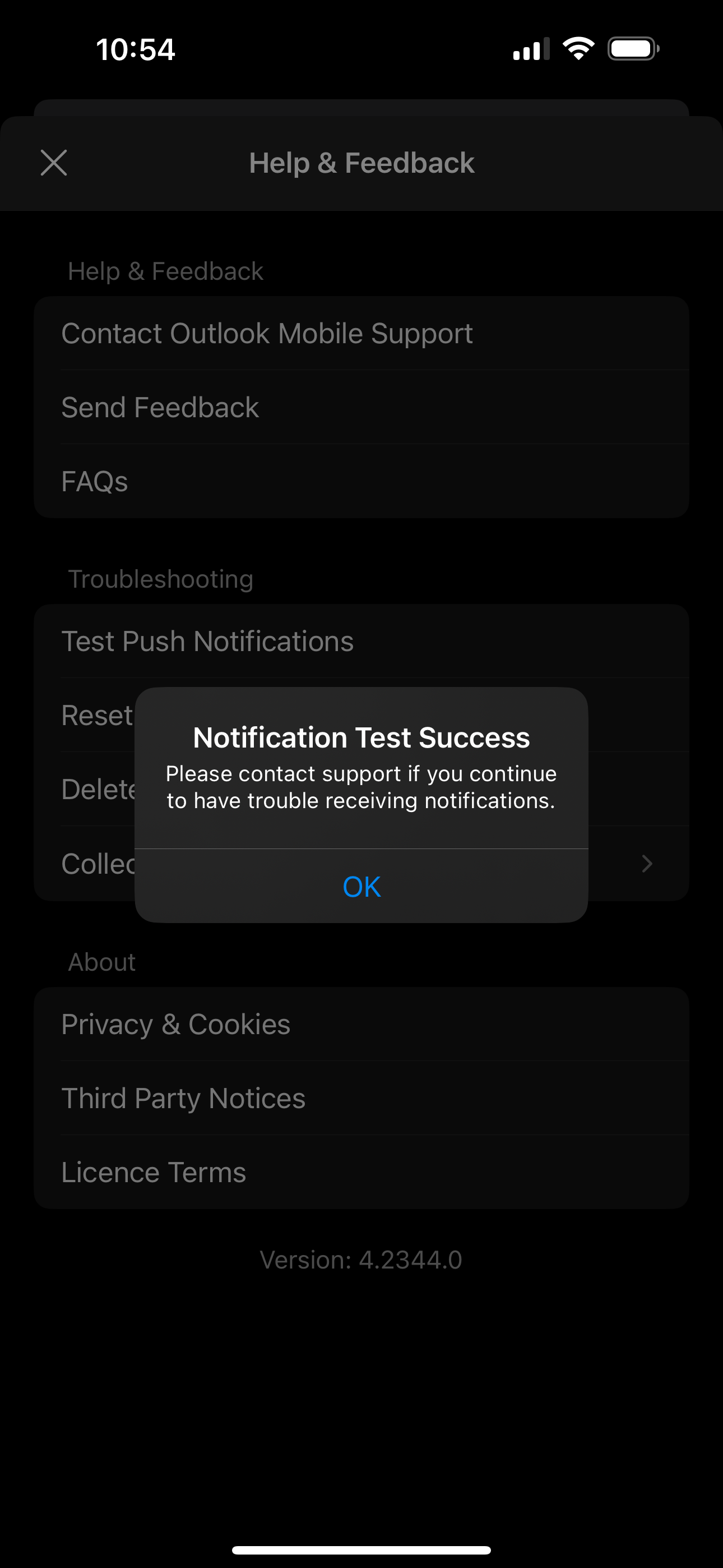


… And then do a quick test and email to confirm it works.


I don’t know if this will work for anybody, but if you had exhausted all the other options like I did, maybe this might work!

16 replies

This thread has been closed by the system or the community team. You may vote for any posts you find helpful, or search the Community for additional answers.

Outlook notifications do not work after update to 17.0.3

Welcome to Apple Support Community
A forum where Apple customers help each other with their products. Get started with your Apple Account.