17.3 Mail password issue on Exchange account

My iphone is 17.3. MyiPad is 17.2 Since the update on my iPhone, both want a password for Mail Exchange account. When I enter it, it asks again. I have logged into Outlook on my Mac via the web and no issues. Help please.

iPhone SE, iOS 17

Posted on Jan 24, 2024 7:11 AM

Reply
Question marked as Top-ranking reply

Posted on Jan 26, 2024 2:18 PM

I had the same problem.


It is due to the 2 factor authentication which you have to activate in your Microsoft account and under the item Security Generate an app password this is required during the query.


My tip:


Find the points correctly, remove your mail account, create it again, after which he asks you for the password, generate a new password for apps on the Microsoft page and insert it directly and it will run again.


Thanks to the communities and forums for the proactive impulses, the swarm intelligence and the lifetime gained.

85 replies
Question marked as Top-ranking reply

Jan 26, 2024 2:18 PM in response to dbreston

I had the same problem.


It is due to the 2 factor authentication which you have to activate in your Microsoft account and under the item Security Generate an app password this is required during the query.


My tip:


Find the points correctly, remove your mail account, create it again, after which he asks you for the password, generate a new password for apps on the Microsoft page and insert it directly and it will run again.


Thanks to the communities and forums for the proactive impulses, the swarm intelligence and the lifetime gained.

Jan 28, 2024 11:23 PM in response to dbreston

I had same problem on my iPhone & iPad Pro.

Apple support said they had no knowledge of any iOS 17 issues with MS Exchange email accounts, & was not able to help.


But, I discovered the solution.

Select [Settings]

Select [Mail]

Select [Accounts]

Select [MS Exchange account]

Select [Account]

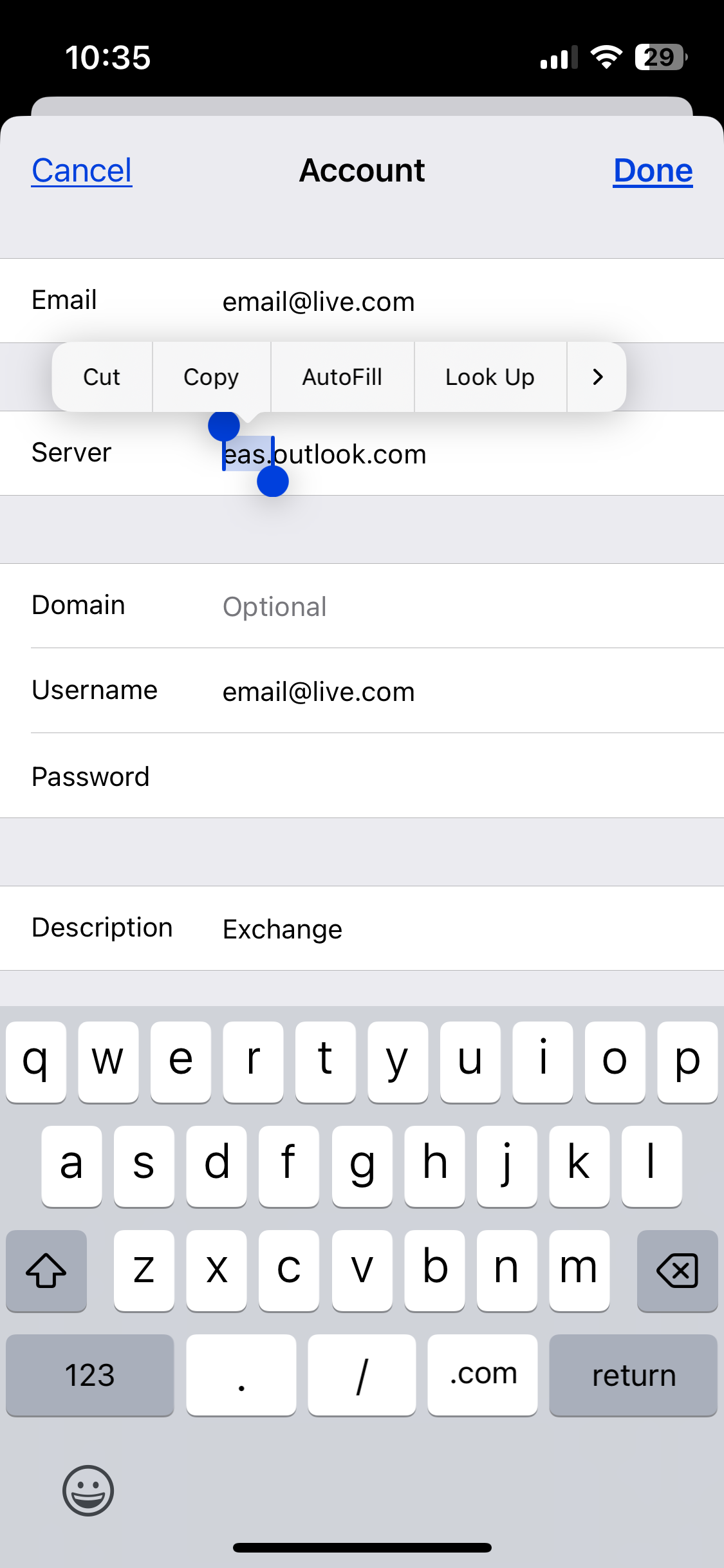
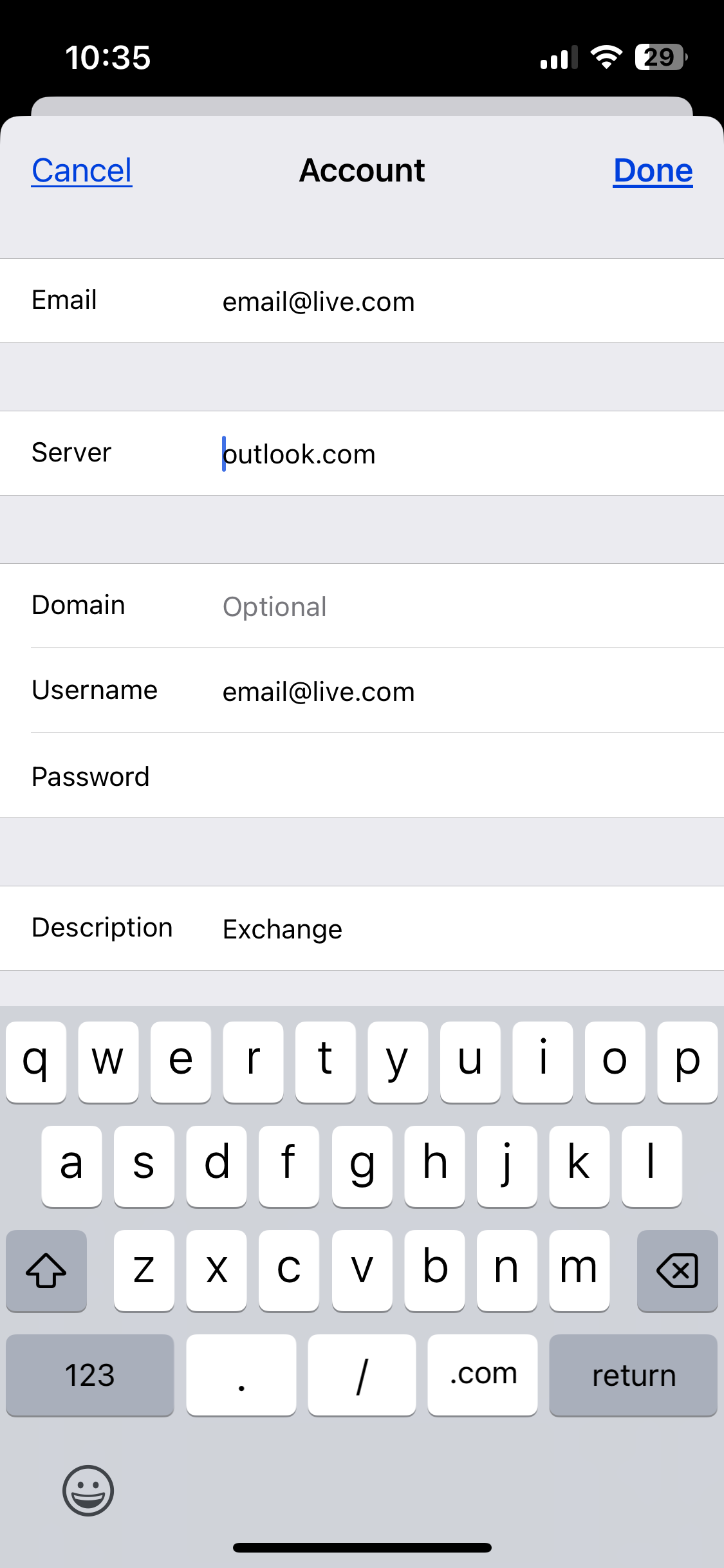
Select [Server] “eas.outlook.com”

Edit to read: “outlook.com”

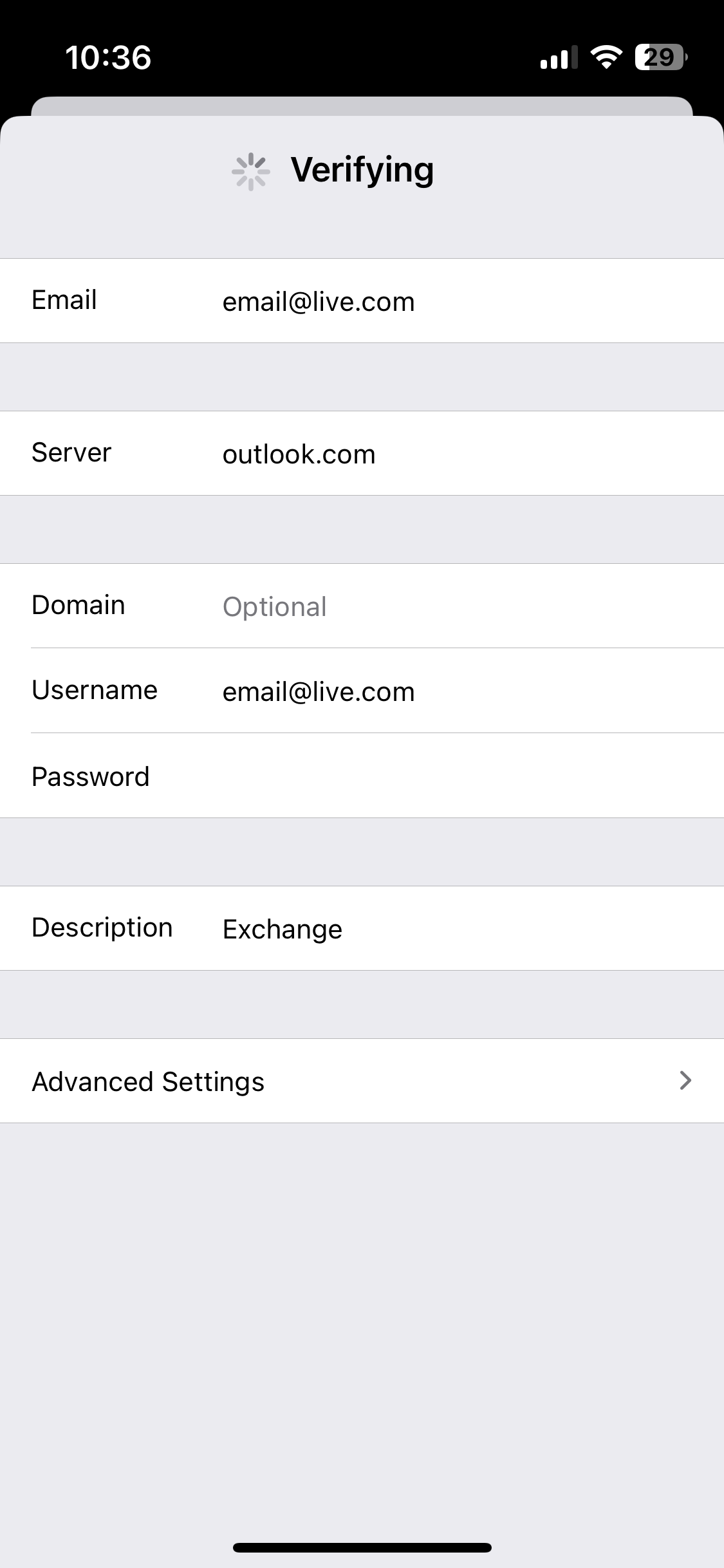
Select [Done] top right


The iOS now verifies these email account settings & you should see check marks by each entry.

Now, when you open Mail, Contacts, Calendar, Reminders, & Notes everything should load account data correctly, again.

No more Exchange Password Error, Password Request!

Jan 28, 2024 9:01 AM in response to CFS304

CFS304 wrote:

I had the identical problem just before I updated to 17.3 and it continued after the update. I was able to work around it by creating a new account using outlook instead of Exchange for mail default and phone has worked fine since. However, I also got requests for Exchange password on my laptop for email. I entered it once as well as checking box to remember credentials. When the message pops up requesting password, I just go into mail and click on the "need password" message and it resolves. It's clumsy but gets around issue. There appears to be an issue with iOS and Microsoft interface causing this on Apple and PC devices.

It is a Microsoft issue. There are other posts in this thread that have links to the Microsoft support threads, so go and read the previous pages of the thread to get the answer.


Actually, the best answer is by Tech_Addict on Page 2 in this thread→https://discussions.apple.com/thread/255437852?answerId=260116119022&sortBy=oldest_first#260116067022


Mar 1, 2024 9:44 AM in response to Lawrence Finch

Lawrence, that’s presumptive and not correct. I entered everything correctly the first time I removed, restarted, and then added back my account. I know it was correct because I could receive incoming messages, but I could not send outgoing messages. Removing again the account, restarting the phone, then adding back the account (for a second time) resulted in correct functionality, both receiving and sending messages okay.

Jan 25, 2024 3:51 AM in response to dbreston

When you have activated 2-step verification for your Microsoft Exchange/Outlook account, it introduces an additional layer of security, preventing the use of your regular login password when accessing your account through a web browser. In such cases, you are required to generate a unique and device-specific application password for use on iOS devices.


To accomplish this, navigate to the provided link, which facilitates the creation of an iOS app-specific password. This distinct password ensures a secure and seamless connection between your iOS device and your Microsoft Exchange/Outlook account, allowing you to navigate the heightened security measures while maintaining the convenience of accessing your email and other services on your iOS device. --> Manage app passwords for two-step verification


Jan 25, 2024 4:31 AM in response to dbreston

I have had the same issue since 17.3 but I think that it's just coincidence since others report it also on platforms other than iOS. I created a new account under Mail using Outlook.com and deleted the Exchange one. It works fine now. Outlook.com is EAS apparently so should be equal to exchange with benefit of MS authentication integration.

Jan 28, 2024 8:50 AM in response to Blamson

Blamson wrote:

I have had the same issue since 17.3 but I think that it's just coincidence since others report it also on platforms other than iOS. I created a new account under Mail using Outlook.com and deleted the Exchange one. It works fine now. Outlook.com is EAS apparently so should be equal to exchange with benefit of MS authentication integration.

Using Outlook.com instead of Exchange solved it for me as well on my Iphone and iPad.

Feb 6, 2024 9:01 AM in response to Elwy44

Elwy44 wrote:

This information is not addressing the issue entirely. Not everyone has 2-step authentication turned on, and yet the same problematic password issue arises.

I have read that Microsoft now requires 2 factor authentication for Exchange ActiveSync accounts. So if you don’t have 2 FA set up that in itself is the problem. And the requirement was added around the same time 17.3 was released (actually, about week before 17.3 was released), which is why it appears to be due to 17.3. But it isn’t, it is a Microsoft problem.

This thread has been closed by the system or the community team. You may vote for any posts you find helpful, or search the Community for additional answers.

17.3 Mail password issue on Exchange account

Welcome to Apple Support Community
A forum where Apple customers help each other with their products. Get started with your Apple Account.