I don't use Dropbox.
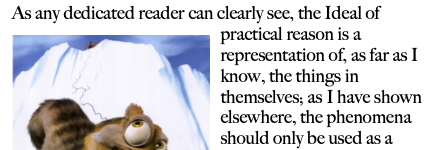
I am starting with a sample document of my own:
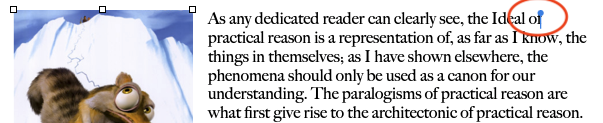
Which in an EPUB, the red circle reveals:

From that compart site link I provided in my last post, the image of that [obj] will not display, but right-click in the middle of its outline at the top of the page and choose Copy.
Now, right-click on your EPUB file and choose Open With : ebook-editor. That is a Calibre tool. Your EPUB source will open in ebook-editor. You can click and and drag the right edge of the left panel of that editor to expand it.
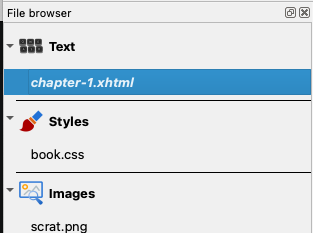
The first item of interest will be named chapter-1.xml. You would double-click on this name to display it in the center editor field as HTML/CSS3 syntax mixed with the text of this chapter of the EPUB. You will also see a Find/Replace panel there. Click in the Find field and paste. That will be the hidden [obj] symbol you copied from the compart site. Here I have done that and clicked the Find button. It detects the hidden [obj] object right after the word "of."
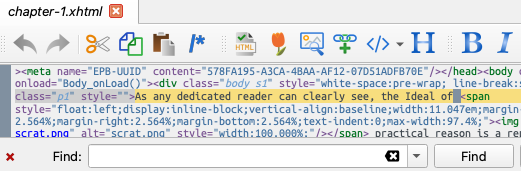
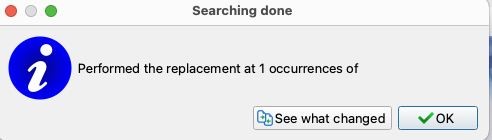
I leave Replace blank (nothing entered) and click Replace All. A confirmation panel will appear confirming the replacement(s). The [obj] will not appear in this panel after occurrences of. Click OK.
You would repeat this process for Chapter-2.xml through Chapter-n.xml (n being the last chapter of your EPUB). Then cmd+S to save the EPUB, and quit ebook-editor application.
Upon opening the EPUB in Apple's Books, the symbolic [obj] object(s) are gone.