
Where are my apps in the new iTunes?
iTunes seem to have update itself and now my Apps have disappeared. Where are my apps in the new iTunes (v 12.7.0.166)?
MacBook Air (13-inch, Early 2014), OS X Yosemite (10.10.1), 16 GB Ram; 480 GB SSD
iTunes seem to have update itself and now my Apps have disappeared. Where are my apps in the new iTunes (v 12.7.0.166)?
MacBook Air (13-inch, Early 2014), OS X Yosemite (10.10.1), 16 GB Ram; 480 GB SSD
The idea is that all app management takes place on the device. If you have any apps that are no longer in the store that you want to put on your device these will still be in the old Mobile Applications folder and can be manually dragged & dropped to the device. Likewise with ringtones.
From Manually manage content on your iPhone, iPad, or iPod touch using iTunes - Apple Support:
Manually add items from your computer
If you have media on your computer that you can't redownload from the App Store or iTunes Store directly on your iOS device, such as custom ringtones or iOS apps, you can drag and drop the media from your computer to your iOS device using iTunes.
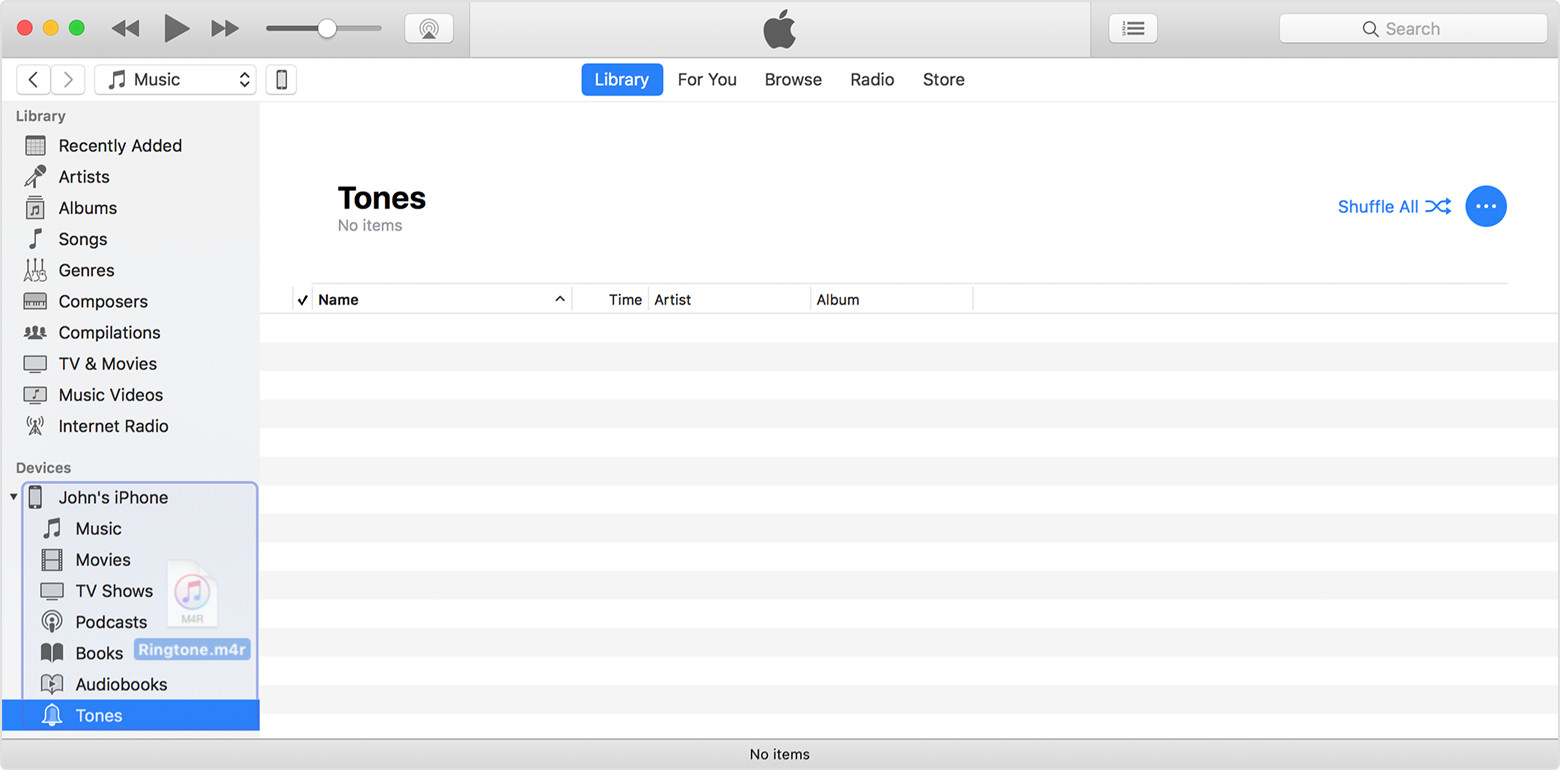
tt2
I did. Hope the rest of you do too... Have you tried to find and manage your entire library of purchased apps?? Good luck.
Yes, I already went there 🙂
Well said, Milqi. Be sure to send your feedback to Apple. It does no good to only vent about this issue here. See: Feedback - iTunes - Apple.
I agree, If we are upset then we must leave feedback and say so. At apple.com/feedback.
agreed. Many of us would like this back. I have provided feedback on this to Apple on their feedback site. It would be helpful if others do the same.
It really helps if you send your feedback to Apple: http://www.apple.com/feedback/
i TOTALLY agree with georgio !!
now what kind of stupid thing is this to do.. 😟
and now, figure that.. i cannot even install my apps any more.. since the update on iPhone yesterday,
can't find them anywhere
DO IT BACK !
AS I can no longer have a look at apps on iTunes I won't be purchasing any apps. Although in the past I have purchased apps on my phone it is only after researching them on iTunes. A very backward step Apple
I totally agree with you. These developers make changes, give not explanation, and the product gets worse. Even more frustrating is the fact that they don't care. This is why so many people are not afraid to switch to android. They get fed up. This is one of the dumbest changes ever. This is just lake taking the headphone jack out of the iPhone and making millions of people use that stupid adapter and not be able to charge their phone at the same time. Ugh!!!! Get with it Apple, or you are going to lose more and more customers.
Hi! on a more positive aspect, now that the computer is not needed to sync apps to the device, I saved 5 gigs of data. As my mac has 128 gig and my iPhone 8 has 256 gig, it makes sense. (However what does not make sense is the low disk space we get on macbook!
iTunes 12.6.3 is compatible with all Apple devices up to and including iPhone 8, 8 Plus, X and anything running iOS 11, which aren't compatible with iTunes 12.6.2. My iPod classic, iPhone 4, iPhone 6 Plus, iPad 2 and iPad Pro 10.5" all work fine with 12.6.3 through 12.7.2.
tt2
I AGREE - i want upgrades not downgrades.
what will happen with a new system update ?
do i have to do the whole stuff again ???
CRAZY .. pls, a new iTunes, back with apps.. stop messing around with our stuff !
oh.. you think there will be 2 iTunes in the future ?
and we will have to pay for the ENTERPRISE one ?
I don't think I like this idea ..
btw. I did not de-installed.
I simply installed and it replaced the old app, only left the old library sit there,
which I deleted after installing the new stuff.
i mean if they are about to develop 2 iTunes from now on - one being "professional" ??
and if we would have to pay for this new one..
cause.. I dont want to stick with the old iTunes forever, i would love to have a new actual version that does APPS.
Where are my apps in the new iTunes?





