I've been facing the same problem ever since I upgraded to Catalina a few days ago. After reading millions of responses on how to fix it, and just when I was on the brink of giving up, I finally managed to solve the problem and restore my dictionary resources! I was actually inspired by the reply of one of the users here (but on another thread) , but I had to add a few minor tweaks to his steps for the solution to work for me. So a big thank you to that user!
In brief, what we'll need for this solution is to go back to a back-up from Time Machine that predates the date of our upgrade, and restore the folder to our Desktop or Library. It's very simple, I'm no tech expert at all, but this is actually very easy to follow. So don't give up just yet guys, you've got this!
Important: My external hard drive was my entry point to the solution, so if you guys have your files backed up on an external hard drive, you should be able to have your dictionary resources back by following the steps below:
1- Connect your external hard drive to your MacBook (on the importance of this step: the external hard drive allows you to access files and applications on Time Machine that you had on your MacBook from before the date of your upgrade, and that's exactly what you'll need).
2- Open the Time Machine app from your Applications Folder, or by typing Time Machine in your Spotlight Search as shown in the picture below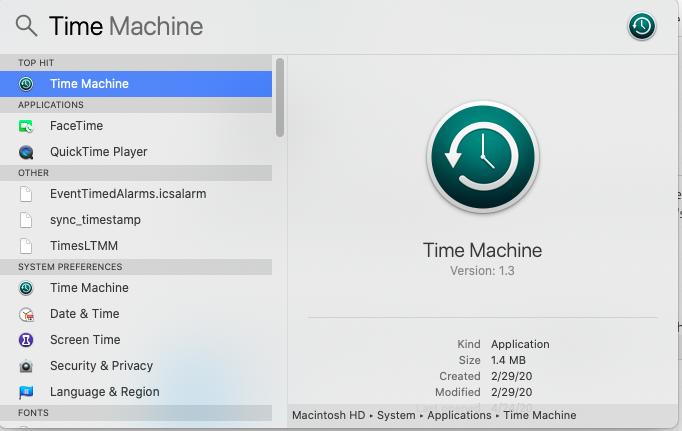
3- After you open the Time Machine app, wait a bit for your earlier backup dates to show up. Once shown, choose any backup you've done before your upgrade. For example in my case, I upgraded to Catalina in April 2020, so I chose a backup I did on January 12, 2020, as shown below:
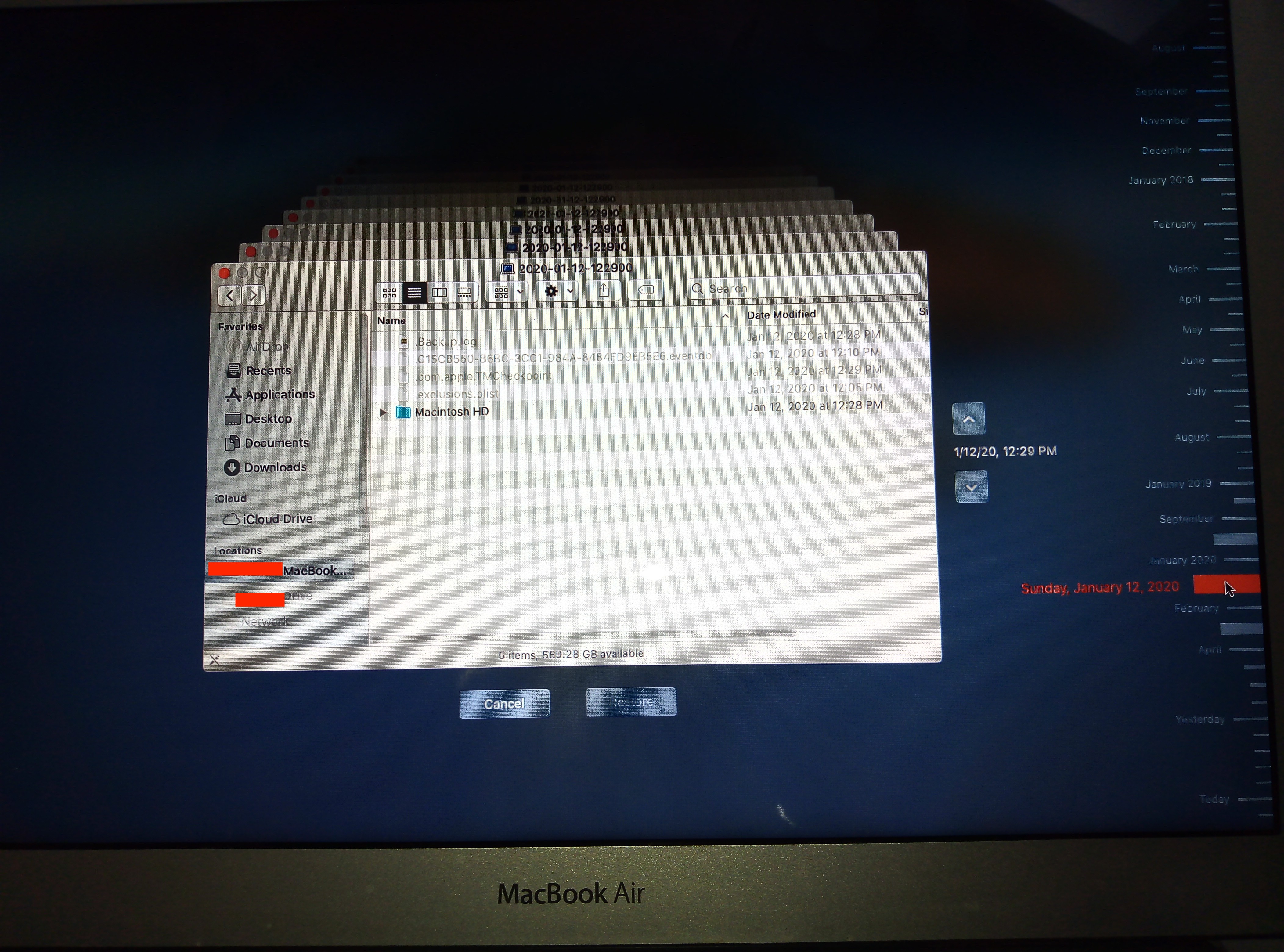
4- On your Time Machine, go to your Macintosh HD --> Library --> Dictionaries, and restore the entire Dictionaries Folder by simply clicking on "Dictionaries", then "Restore".
5- Now this will restore your old Dictionaries folder to your current MacOs. If prompted to choose a location for your restored folder, just choose Library in your Macintosh HD (or Desktop and then move to Library); if not, it will automatically be restored into Library anyway.
6- Open your Dictionary application (the one broken with only Wikipedia as a resource) from your MacBook, go to File --> Open Dictionaries Folder and leave this folder open.
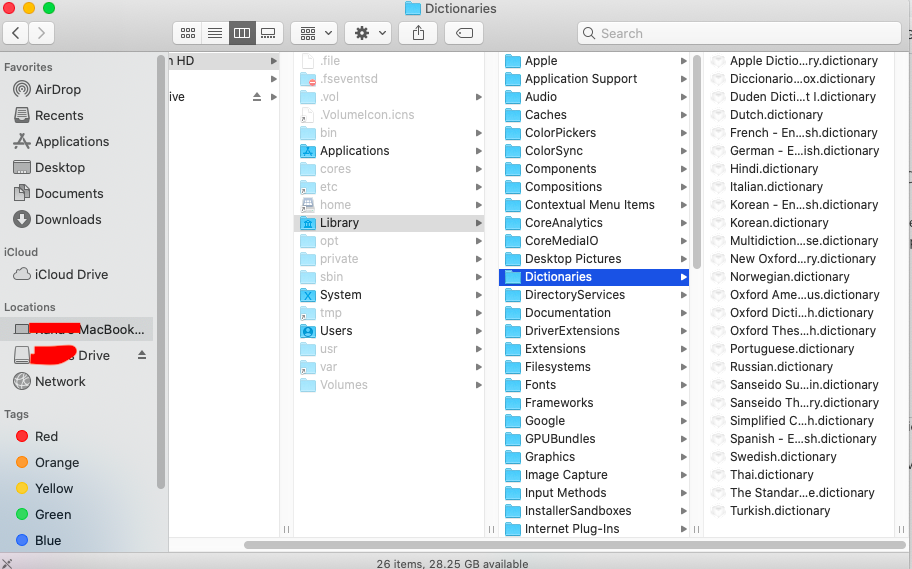
7- Now go back to your Macintosh HD --> Library --> Dictionaries (this should be the folder you just restored from your Time Machine/hard drive -- shown in the picture below), and move all the resources you have on it to the Dictionaries Folder you opened in step 6.
8- FInally, relaunch your Dictionary app, go to Preferences, and you should now be able to see all the resources you moved into it in Step 7, as shown below. Et voilà :) Problem should be solved!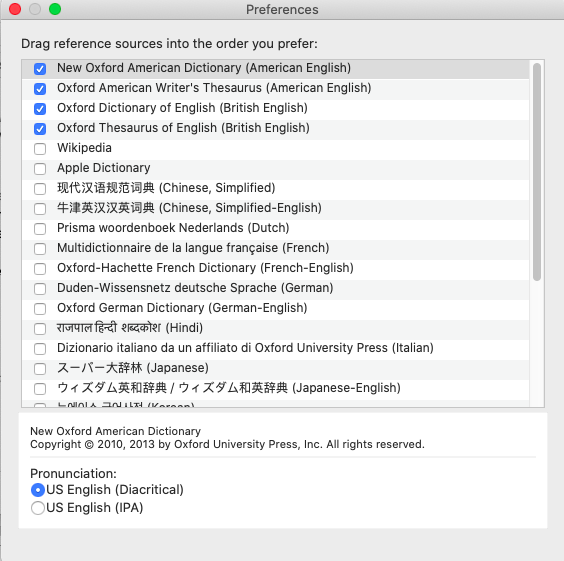
I hope I didn't miss any step, and hope this works for you guys!!
Cheers,
Rana


