Trapped in "Press home to upgrade", please rescue my data.

My iPhone 6 is trapped in an endless loop of the step "press home to upgrade" after updating from iOS8.4 to iOS11.4.

When I do as it says, it will show an Apple logo and progress bar. the progress bar can only walk nearly 80% (60% for the 2nd time, just a few pixels for 3rd the later times) and soon it restarts. Finally it shows "press home to upgrade" again.

Force restart will not help.

Upgrading again under recovery mode by iTunes will not help.

iPhone 6, iOS 11.4, upgraded from 8.4 to 11.4

Posted on Jul 18, 2018 11:42 PM

Reply

Similar questions

38 replies

Jul 23, 2018 2:33 AM in response to Johnsonshen

I suggest you to follow these steps:

1) Locate the "iOS update file" : For Windows it is as follows:

  • Windows XP: \Documents and Settings\username\Application Data\Apple Computer\iTunes\iPhone Software Updates
  • Windows Vista & Windows 7: \Users\username\AppData\Roaming\Apple Computer\iTunes\iPhone Software Updates
  • Windows 8 & Windows 10: \Users\USERNAME\AppData\Roaming\Apple Computer\iTunes\

For Mac it is as follows:

~/Library/iTunes/iPhone Software Updates

macOS Sierra: Go directly to a specific folder

  • Connect your iOS device to iTunes
  • Once the Screen shows with Update and Restore iPhone,Choose Update
  • Instead of Left-Clicking,Perform a RIGHT click and Attempt to Locate the iPSW as shown above for different Platforms.
  • If your device is NOT up-to-date then a new iPSW file will be downloaded else download a new one.
  • Once you have downloaded iOS will start to update and your device's existing iOS will be overwritten with a new one.


Please Note: This will just Overwrite the old iOS and Replace it with a Fresh Copy. It will NOT remove any data from your device.

Tried and Tested Method on my own iPhone 5C that was bricked on iOS 10 at the time. Will work for any iOS Regardless.

Jul 24, 2018 9:20 PM in response to Johnsonshen

Hello Johnsonshen

Thank you for trying everything that you possibly could,

From what I can see is that if you are not able to go beyond that point a hardware failure has occurred.

Since you get Blue Screen of Death (B.S.O.D.) that indicates that there is something wrong with the hardware.

If it's still is in AppleCare+ warrenty then you can see if they can take it in for service (they open up the device and do diagnostics and replace certain components if possible)

Otherwise you will have to pay a lot which depends from country to country what are the charges.

I can understand how you feel about Apple now and I get that you are very upset.

I too faced a huge issue with Apple in India and for a brand new iPhone X which was defective (Under Warrenty) after months I got a replacement.


But yes if you need any more assistance please feel free to contact Official Apple Support

Or come back here to Apple Support Communities.


TIP: In future please do a Backup via iCloud or iTunes or both preferably! In that case you will never worry if something serious happens to your iOS device

Jul 18, 2018 11:49 PM in response to Johnsonshen

Hello Johnsonshen

Here are a few tips in the link below :

https://www.lifewire.com/fix-iphone-white-screen-of-death-2000285


Here is another tip you can try:

"When prompted by the Setup Assistant to press the Home button, restart the iPhone by pressing and holding the sleep/wake button, slide to power off, and then power the device back on. When the device restarts, you should be able to complete the Setup Assistant without being prompted to press the home button."


I would suggest going through all of them if you have not already done so and if the issue persists make an appointment with the Genius Bar .

Jul 24, 2018 2:47 AM in response to Johnsonshen

Hello Johnsonshen

I understand how this will feel very anxious and nerve-wracking to you. I was in your place too and I had no backup for my media.

I understand what stress you will be going through but I assure you I will try to help you the best way I can.


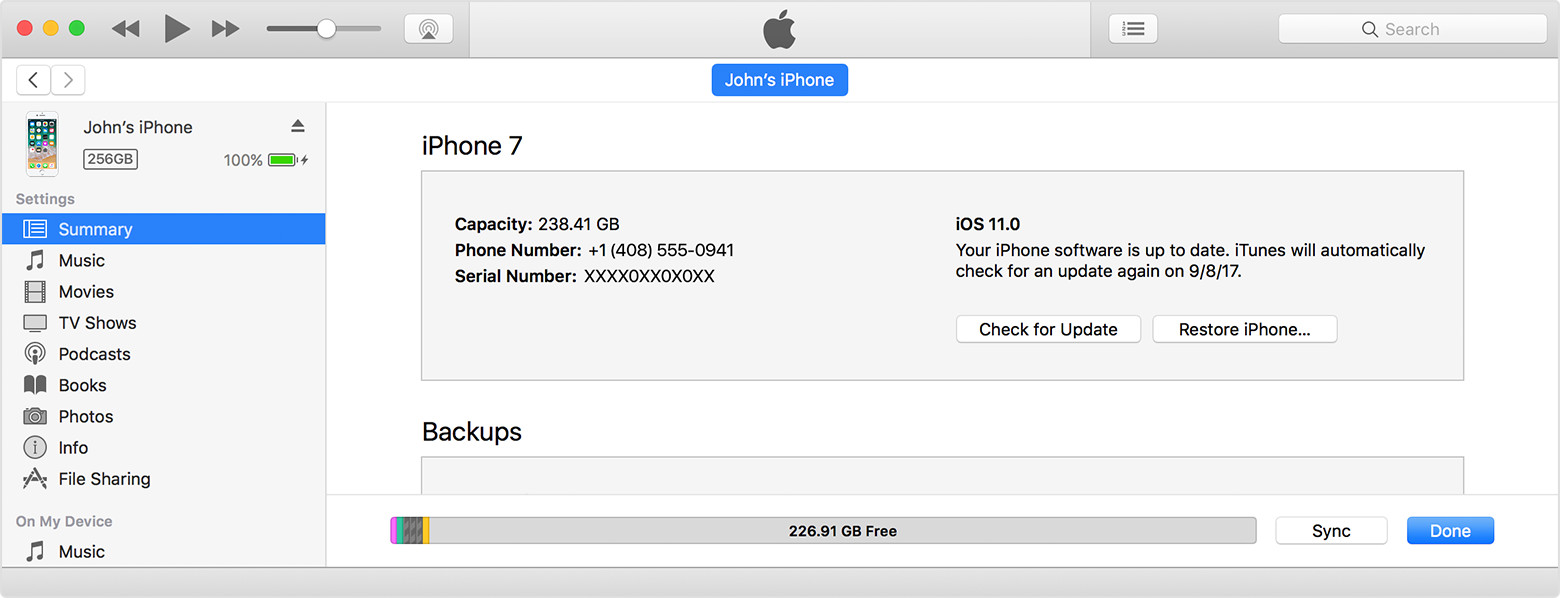
PLEASE NOTE: Try to get your device recognized by iTunes and if you get Update please do that !

Do you mean "update" in place of the "Check for Update" ?

User uploaded file

Also does the chinese/mandarin text in your image indicate to "Connect to iTunes"?

If so please do.

Also if you have the option to update PLEASE CLICK ON THAT and NOT RESTORE !

This will as I explained before (2 RESPONSES before this) overwrite the faulty software and replace it with a new one. As a result no data will be lost!

Jul 19, 2018 10:37 AM in response to Johnsonshen

Let me start by saying this “Where there is a will there is a way”

Data in your iPhone on or off will always be there !

As long as there is power to your iPhone and can turn on to some screen at least lock or startup screen the Data Can be recovered by Apple !

May be not by the End-Users but it is possible!

But not easy !

So I suggest you try your level best to get it up and at least showing some part of the OS !

And then try to recover or tell the Genius Bar Technicians to try to do their level best !

Jul 24, 2018 11:09 PM in response to sohail138

Hi sohail138,


Thank you for your hopeful words! Wish it is just as you said.

As I mentioned, when I tried to "upgrade" by iTunes, iTunes changed it to "restore"(I clicked "upgrade")

I stoped it once I saw the word "restore". But it seemed too late.


This happens under the situation that, the "update" is always stuck at "Verifying". So I completely uninstalled iTunes and deleted ipsw file. Then I reinstalled it and left my phone connected under recovery mode while downloading ipsw. After it finished downloading, I clicked "upgrade", but finally I saw "restoring" instead of "upgrading".

This thread has been closed by the system or the community team. You may vote for any posts you find helpful, or search the Community for additional answers.

Trapped in "Press home to upgrade", please rescue my data.

Welcome to Apple Support Community
A forum where Apple customers help each other with their products. Get started with your Apple Account.